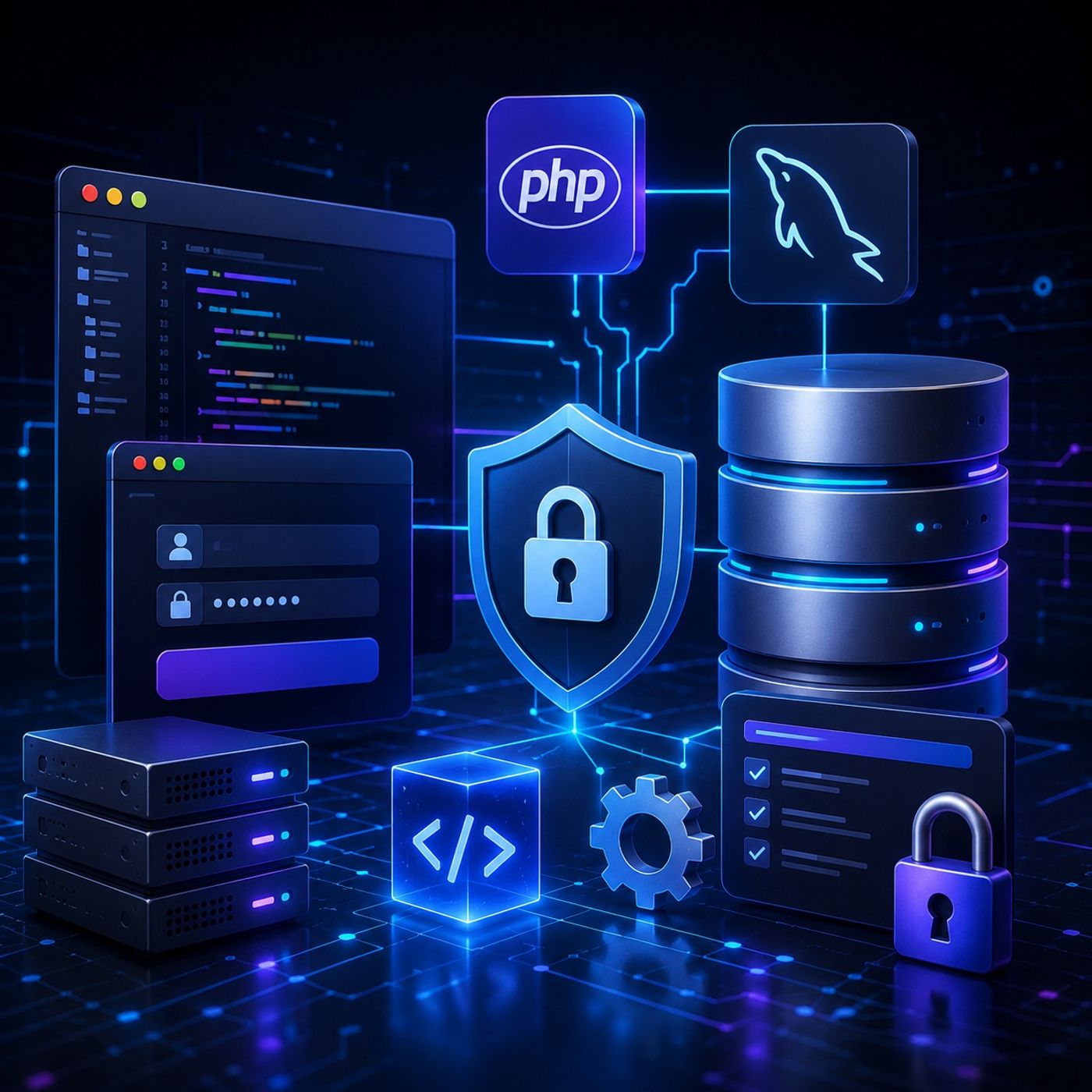
Course 43 - Practical Malware Development | Episode 6: Database Foundations and PHP Integration
Get every episode summarized
Each time CyberCode Academy publishes, we email you a written briefing from the transcript — the topics, who appeared, and any specific claims, with the ad reads skipped.
Email me new episodesFree for 3 shows. No card needed.
About this episode
“McDonald's is putting value back on the menu. Whether you're craving a Big Mac, McNuggets are sausage, egg, and cheese, McGrittle's, make it a meal, and save. Your favorite is now your wallet's favorite, too.”From the transcript
- A users table for storing web panel authentication data.
- A victims table containing eight columns designed to record system information such as operating systems, IP addresses, and command-and-control activity outcomes.
- Adjusting Apache directory ownership and permissions.
- Updating MySQL authentication configuration where necessary.
- Creating a reusable PHP database connection script named con.php.
- Implementing connection error handling to identify and report database failures.
- Prepared statements
- Parameter binding
- Server-side credential validation
- Create and structure a MySQL database for a web application.
- Connect PHP to MySQL through a reusable connection layer.
- Configure Apache and MySQL for application integration.
- Build an HTML/PHP login workflow.
- Use prepared statements and parameter binding to reduce SQL injection risk.
- Implement PHP session-based authentication.
- Handle database and authentication errors.
- Understand the role of password hashing in credential protection.
- Recognize why legacy algorithms such as MD5 are unsuitable for modern password storage.
You can listen and download our episodes for free on more than 10 different platforms:
https://linktr.ee/cybercode_academy
Get every episode summarized
Each time CyberCode Academy publishes, we email you a written briefing from the transcript — the topics, who appeared, and any specific claims, with the ad reads skipped.
Email me new episodesFree for 3 shows. No card needed.
Hosts & guests
Transcript ready
588 searchable segments. Every word is indexed and playable.
Full transcript
CyberCode Academy — Course 43 - Practical Malware Development | Episode 6: Database Foundations and PHP Integration. Machine-transcribed; use the interactive transcript above to jump the player to any line.
McDonald's is putting value back on the menu. Whether you're craving a Big Mac, McNuggets are sausage, egg, and cheese, McGrittle's, make it a meal, and save. Your favorite is now your wallet's favorite, too. Extra-value meals are back. Get a big something extra. With a Big Mac or 10-piece McNuggets, fries and a medium Coke all for just $9. Limited time only, promotion pricing may be lower than meal pricing. Ba-da-ba-ba-ba! Meet the Red Bull Dragonberry Emergizer. It's one of the many new drinks out now. Who knew ice cold drinks could be so fire? Try them all only at McDonald's. Imagine for a second that you're playing both the architect and the attacker. You've been tasked with building this centralized command center, right? Well, that's a fun scenario. Yeah, we're talking about a digital control panel, something that needs to securely manage authorized users,
interact seamlessly with remote machines, and safely stored just massive amounts of incoming data. Right, which sounds incredibly powerful. It does, but here is the terrifying part. How do you build that underlying architecture from the ground up without accidentally leaving the front door wide open to the very hackers you're trying to defend against? Yeah, I mean, it is the ultimate balancing act in digital architecture. We're trying to create a system that's highly accessible and responsive to you, the operator, while simultaneously acting as this fortified, impenetrable wall to absolutely everyone else on the internet. Right, and in the world of cybersecurity and web development, I mean, a single line of lazy code can turn your fortress into a complete free-for-roll. No, easily. It happens all the time. Okay, let's unpack this. Today, our mission for this deep dive is to play the role of the architect step-by-step. Sounds good. We are going to conceptually build the backend for exactly this kind of web-based control panel.
But along the way, we'll look through the eyes of an attacker to see well, exactly how vulnerabilities are exploited. And more importantly, how we can slam the door in their faces. Yes. We'll construct a secure database vault, drill a secure communication tunnel using PHP, and finally, engineer an iron-clad login page. I really love that approach, because whether you're a programming student and aspiring cybersecurity analyst or just someone curious about the plumbing of the internet, understanding how these underlying systems talk to each other is a foundational skill. Every major platform you interact with, from your local bank to your favorite social media app, it relies on variations of this exact same triad. The vault, the tunnel, and the door. So before we can even think about the front door, we need that secure vault where all our critical data is going to live. This naturally leads us to setting up a MySQL database. Right, the foundation. Yeah. Now, in our scenario, we need to spin up the database service. We usually do this from a terminal window. We don't just like click an app icon on the desktop.
No, you have to specifically command the system to start the MySQL service with top-level administrative privileges. And the command for that is usually something like pseudo-service MySQL start. Yeah, exactly. You're doing that to ensure the database engine has the necessary operating system permissions. It needs to allocate memory right to the hard drive and actually listen for incoming connections. Makes sense. But once the engine is running, you have to actually log into the database itself to start shaping it. And this is what trips up a lot of beginners. Oh, really? How so? Well, you have to ping the MySQL service and provide credentials, specifically targeting the databases root user. So you type something like pseudo-MySQL-Yes-Uroot.com. And then you type in the search, P-H-H localhost. OK, the day P is for password and H is for a local host. But wait, let me stop you right there. Doesn't my computer's operating system already have a root user? Like a master administrator? Right, it does. Why do I need a separate set of master keys
just for the database? That is a brilliant question. And it really comes down to minimizing risk. I mean, your operating system's root user can do anything. It can delete system files and install software, change your network settings, basically God mode for the computer. Exactly. Your database root user, however, is the master of the database only. Oh, I see where this is going. Yeah. If a hacker somehow manages to steal your database credentials, you absolutely do not want them to automatically gain control of your entire computer. Right. That would be an nightmare. By keeping the operating system and the database as two completely separate entities with separate locks, you're compartmentalizing the danger. That makes a ton of sense. So we ping the database service, pass in our specific database root password and tell it we're connecting from this very same machine, the local host. Boom. We're inside. But it's still the empty. So we create our vault, which we'll call control panel. We switch to a usingly use command. But a vault is useless if you just throw a pile of unorganized papers on the floor.
Exactly. You need shelves and filing cabinets. Right. And in database terms, those are tables. For a command center architecture, we need a logical separation of data into two distinct tables, a user's table and a victim's table. Let's focus on the user's table first. OK. Yeah. This one is strictly for the web users, the administrators managing the panel. It only needs three columns. First, an ID column, which is an integer set to automatically increment for every new user. Right. That just gives everyone a unique numerical fingerprint. Exactly. But the next two columns are username and password. The structured dictates, we assign them a data type called varchr255. Yep. Now, I know varchr means variable character, basically, string of text. But why 255? I mean, that is a ridiculously long username limit. It is long, yeah. But what's fascinating here is that it's a very intentional defensive choice. Oh, really? Yeah. When you define a column as varchr255, you're telling the database to accept text.
But you were establishing a hard, unyielding boundary. The philosophy here is preventing something called a buffer overflow. OK. What does that look like in practice? Well, if you don't enforce a strict limit on a database column, an attacker might try to submit a username that's 10,000 characters long, and they pack it with malicious scripts. Hoping this sheer volume of data will just overload the server's memory and crash the system. You got it. Setting a generous but firm limit gives you flexibility for legitimate users while completely neutralizing the threat of an overflow. Ah. So it's a bounded container. It's like buying a specific size of storage unit. You can bring whatever name you want as long as it fits in this specific box. Exactly. But speaking of unpredictable sizes, let's talk about the second table, the victim's table. This is where we store information about the remote target machines we're interacting with. We have eight columns here. We log their ID, their hostname, their IP address, their operating system. And we have a column just for the command
we issue to them, which uses a data type of text. The architecture of this table is really interesting because it forces you to think about the reality of system administration. Yeah, because we have a column dedicated to storing the result of that command. And that one requires a data type called long text. Why the distinction there? Why is long text so crucial for the result? Well, think about the mechanics of what happens when you control a remote machine. If you send a command asking for the name of the current user, the result is one word. Right. You could store that in a tiny varchar column. Exactly. But what if you send a command asking the remote machine to search its entire hard drive and list the file path of every single document, image, and system file it contains? Oh, wow. Yeah, that response isn't going to be a sentence. It's going to be a tidal wave of data. Precisely. It could be millions of lines of text. Standard varchar, even regular text data types, will just choke on that volume. Like they just cut the data off. They'll truncate it, cutting it off abruptly.
Or worse, the database will throw an error and drop the information entirely. By defining the result column as long text, you're anticipating extreme scale. Guaranteeing that even a colossal wall of data returning won't crash your vault. Right. It's swell as it hole. OK, so the vault is structured. Meet the Red Bull Dragonberry Emergizer. It's one of the many new drinks out now. Who knew ice cold drinks could be so fire? Try them all only at McDonald's. The shelves are built to handle anything from a tiny user name to a mountain of system logs. But right now, this wall is essentially buried deep underground. Yeah, completely inaccessible from the outside. Exactly. Our actual web panel, the visual interface we click on, has no way to see or display this data. We need to drill a secure tunnel between the web server and the database vault. Which brings us to the second phase of our architecture, the PHP bridge. Right.
PHP is a server-side scripting language, meaning it runs on the server behind the scenes far away from the user's browser. It's the perfect tool to build this tunnel. But before we can write a single line of PHP, we have to deal with the web server itself. First off, we need to change the MySQL authentication method to MySchoolNative password, so PHP can connect. Crucial step, yes. And then this is where a lot of people run into a brick wall regarding permissions. To build our control panel, we have to navigate to the web server's core directory. Usually at var, wins, fly, bell. Right. The document root. But if I just open my coding editor and try to save a new file in there, the operating system slams the door in my face, access to Nide. Wait, why do we have to change directory ownership? Is this basically like giving ourselves the master key to the web server's core folder, so we aren't locked out of our own project? That is exactly what it is. And it's because of the principle of lease privilege, a core tenant of cybersecurity. OK, break that down for me. Let's think about how a web server, like Apache,
operates. It's software designed to take files from that specific HTML folder and serve them to anyone in the world who asks. Right. Because it interacts with the wild, untamed internet, it's inherently vulnerable. Therefore, the operating system isolates the web server, running it under a heavily restricted user account. So the hacker manages to compromise the web server software. If they break into Apache, they are stuck within that restricted user profile. By default, even you, the human owner of the computer, do not have right access to that public facing directory without explicitly proving you're the administrator. So to build the app, we have to use administrative commands to officially change the ownership of that folder to our current user, like our developer account. Exactly. It's the operating systems way of forcing you to acknowledge, hey, I am taking manual control of the internet facing zone. OK, so we claim ownership. We have the master key. Now we create a file called con.php.
This is our bridge script. And to make the connection, we use a PHP function called MySclickConnect, which requires four specific arguments to function. Think of these four coordinates as the exact map and key required to drill the tunnel. First, you need the host, which is local host. Right, since they live on the same machine. Second and third, you need the username, which is root, and the password we set for it. And fourth, you need the specific name of the database control panel. We plug those coordinates in, and the script reaches out to connect. But here's the thing about building bridges. You don't just build it and blindfold yourself, hoping it holds. No, absolutely not. You have to inspect it. This is where we get into error handling. And frankly, this is what separates amateur code from professional, resilient architecture. Our script uses MySclickConnectorNo to explicitly check if the connection failed. And if it did fail, we write a block of code to print out an error message. And then most importantly, we command the entire program to exit to stop completely.
Right. That command to exit is known as failing gracefully. And it prevents catastrophic damage. How so? Well, imagine if you didn't include that exit command. The connection to the database fails, but the rest of your web panel keeps running. Oh, I see. It tries to pull user data that isn't there. Exactly. It tries to log commands to a vault it can't reach. Variables become empty, logic gates fail. And suddenly, your system is blindly executing partial commands or even displaying sensitive raw code to the screen. Wow. It's like driving a car after the steering wheel falls off, just hoping the road stays straight. Exactly. By printing a specific error and safely terminating the scripts, the millisecond the bridge fails, you contain the blast radius. You stop cascading errors before they even start. So we test the script. If the page is completely blank and no error message appears, that means our silent bridge is perfectly intact. We have the vault. We have the tunnel. Now, we need the heavily guarded gate. Right. Because right now, anyone who stumbles upon our web directory can see what we're doing.
We need to verify the identity of the person trying to access the control center. We need a secure login page. Let's build the visual gate using HTML first. Yes. So we create login.php. We build an HTML form with a text input for the username and a password input, where the placeholder is just a bunch of stars. Plus a submit button. But the form tag itself requires a crucial security decision, the method of transmission. Right. We set the method to P-Bost, meaning it sends the request to the same page. Now, I know the alternative is the GIT method. What is the fundamental difference and why would using GIT for a login form be a huge mistake? It comes down to how the browser packages the data. If you use the GIT method, the browser takes whatever you typed, including your top secret password, and attaches it directly to the end of the website's URL. Like, literally visible in the address bar. Yes. Completely exposed and plain text. It would look like your website.com, 4-S1-slash-thalogandot-passwordmysecret123. Oh, man.
That's bad. Not only can anyone looking over your shoulder see it, but that URL gets saved in your browser history, logged by your internet service provider, and recorded in the server's access logs forever. It is a nightmare. Yikes. So how does POST fix that? The POST method embeds the data deep within the body of the HTTP request itself. It's like putting your letter inside a thick envelope rather than writing it on the back of a postcard. OK, so the data travels invisibly behind the scenes. The browser seals it in a POST envelope and sends it to our server. Now, the PHK checks if the request method is POST, and if the username and password are set. We use the include function to pull in our cawn.php tunnel, and we ask the database if this combo exists in the user's table. But this exact moment, the moment user input touches the database query, is the most dangerous intersection in web application security. Let's talk about that. Let's put our attacker hats back on. If I just take the username someone typed into the form and dynamically mash it into my query, I'm opening myself up to SQL injection.
How does that actually work? It's a fascinating exploitation of trust. The database is a literal engine. It executes whatever commands it receives. So let's say your background cun looks like this. Select from users where username equals, and then you just append whatever they type. So it's dynamically building a sentence? Right. An attacker knows this. So instead of typing a name like admin, they type something very specific into the username box. They type a single quote followed by the phrase, OR11, followed by a common symbol, like two dashes. OK, so what does the database engine actually see when that gets mashed together? It sees the single quote, the attacker type, and thinks, ah, this is the end of the username. Then it reads, OR11. Since one always equals one, that statement is mathematically true. And the comment dashes. The comment tells it to completely ignore the rest of the query, including the password check. Wow. So the final mangled sentence, the database reads, is basically, log this person in if their name is blank, or if one equals one. Because one equals one is always true,
the database just shrugs, bypasses the password entirely and hands them the keys. That is terrifyingly simple. So how do we stop it? The architecture calls for something called prepared statements. How do they neutralize this? Let's use an analogy. Imagine walking into a bank to deposit money. You fill out a highly structured deposit slip, right? There are specific rigid boxes for your account number and the amount. If you write, give me all the money inside the account number box. The teller doesn't suddenly treat that as a command to rob the bank. Right. Because it's in the account number box. Yeah. The teller just says, hey, that's not a valid account number. It rejects it. Exactly. The teller treats your writing strictly as data, not as an instruction. A prepared statement does the exact same thing for a database. OK. So how do we write it in the PHP? Instead of dynamically mashing a sentence together, you send a rigid template to the database first. You say, select from users where username password. So those question marks are the empty boxes on the deposit slip.
Yes. You lock in the structure of the query before any user input is even considered. Then in a separate step, we use bind param with SS for string string. Meaning we explicitly tell the database to treat whatever comes next as a harmless string of text. Exactly. Even if the attacker types that malicious or 1, 1 equals 1 code, the database just looks at it and says, sorry, I couldn't find a username quote OR 1 equals 1. It's completely neutralized. It defangs the attack entirely. So we safely execute the query and store the result. If the row count is greater than 0, we start their session and redirect them to index.php, the dashboard, otherwise they get an error. Right. But there is one final, massive layer to this front door. When we query the database to check the password, we aren't checking plain text. Yeah, we absolutely cannot store passwords in plain text. If a hacker somehow bypasses everything and steals the database, you do not want them reading passwords
like a phone book. No, you definitely don't. Here's where it gets really interesting. The script uses a mathematical algorithm to scramble the password before checking it. Specifically, it uses the MD5 function. Ever since people describe this as putting the password in a lock box. Actually, I really dislike the lock box analogy. Oh, why is that? Because a lock box implies that if you have the right key, you can open it back up and retrieve the original item. That is encryption. What we are doing here is hashing, which is entirely different. Hashing isn't a lock box. It's a meat grinder. You take a password, you drop it into a mathematical meat grinder, you turn the crank, and a fixed length string of gibberish comes out. But here is the critical part. You can never ungrind the meat. The process only goes one way. The database never actually knows what your password is. It only stores the gibberish output. So when I try to log in, I type my password. The server runs it through that exact same meat grinder. And then it simply compares the pile of gibberish I just made with the pile of gibberish stored in the vault.
Exactly. If they match, it knows I use the right password, even though the database can't read the password itself. But wait, I've heard in cybersecurity circles that MD5 is considered an outdated algorithm. Why are we using it here? If we connect this to the bigger picture, it comes down to establishing a baseline of defense. While MD5 isn't the modern gold standard today, I mean, modern computers can brute force millions of guesses a second. It still provides that one-way encapsulation. The philosophy here is that if you enforce a truly complex password, something incredibly long, with mixed characters, numbers, and symbols, the sheer complexity of the meat you put into the grinder makes it mathematically unfeasible for an attacker to guess. So you're relying on the strength of the password itself to bolster the weakness of the older hash. It's a calculated risk for this specific context. Exactly. And when you combine that hash password check, with the structural brilliance of the prepared statements neutralizing the SQL injection, you have engineered a remarkably robust front door.
You can bang on it all day, but the door holds fast. Because you build it correctly from the foundation up. So what does this all mean? Let's zoom out and recap the journey. You have conceptually built a secure MySQL database fault, carefully choosing bounded containers like VAR Char and massive storage blocks like long text. You've established a resilient PHP connection tunnel, prioritizing absolute control of system permissions and graceful error handling. And finally, you engineered a secure login portal, protected by prepared statements and hashed passwords. You've built the triad. And since the best way to master these concepts is to bend them, I've got a quick mental exercise for you listening. Based on what we just learned about data types and tables. Oh, this is a good one. Yeah, if you were to add a third table to this exact database, specifically for logging every single log in attempt, successful and failed, what columns would you include and what data types would you use? That is a phenomenal architectural challenge to mull over. And as you think through that design, I want to leave you with one final thought to ponder.
It's here. The triad we discussed today, the vault, the tunnel, and the door is not just a theoretical exercise. Think about how every platform on the web, from your local bank to massive social media networks, relies on this exact same underlying structure. That's a huge scale. It is. So what happens to a global systems integrity when just one of those elements say an unprepared SQL statement is misconfigured by a single line of code? Wow. It only takes one crack for the damn to break. You can build the most powerful tools in the world, but if you don't secure the underlying architecture, it isn't your command center anymore. It belongs to whoever finds the crack. Thank you so much for joining us on this deep dive. Keep building, keep exploring, and we will catch you next time. Meet the Red Bull Dragonberry Emergizer. It's one of the many new drinks out now. Who knew ice cold drinks could be so fire? Try them all only at my dogs.
More episodes
More from CyberCode Academy

Course 43 - Practical Malware Development | Episode 9: Finalizing Client-Side Co...
CyberCode Academy

Course 43 - Practical Malware Development | Episode 8: Building a PHP Command an...
CyberCode Academy

Course 43 - Practical Malware Development | Episode 7: Building a PHP Session Co...
CyberCode Academy

Course 43 - Practical Malware Development | Episode 5: Error Handling & HTTP Pol...
CyberCode Academy