Get every episode summarized
Each time Home Assistant Podcast publishes, we email you a written briefing from the transcript — the topics, who appeared, and any specific claims, with the ad reads skipped.
Email me new episodesFree for 3 shows. No card needed.
About this episode
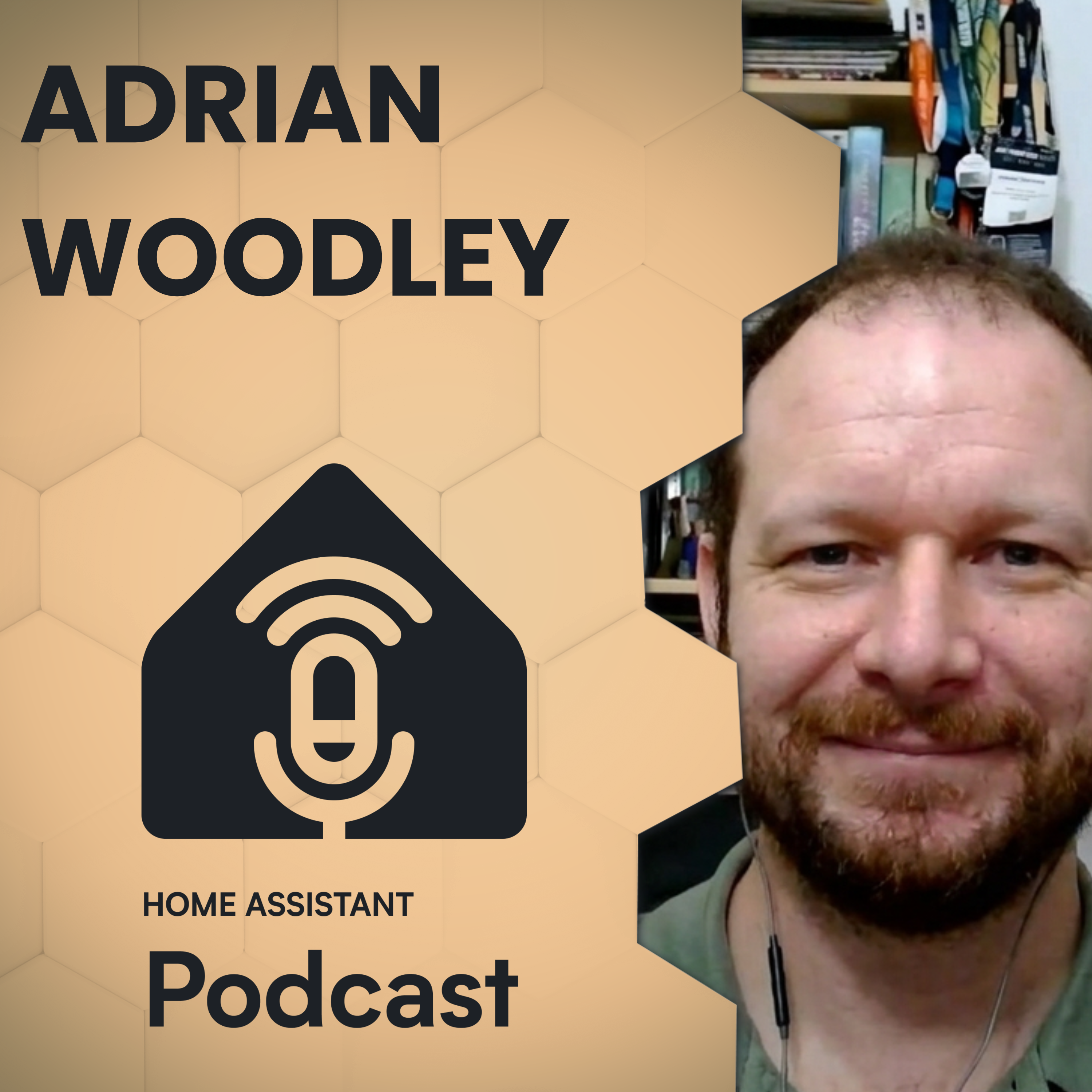
“My name is Phil and as usual I've got Rohan with me. And today another fellow Aussie we've got Adrian in the house. Before we get started here's a quick word from our sponsor Home Business and Cloud by Naboo Karsa.”From the transcript
How do you make Home Assistant resilient when an update fails or your primary server goes offline? Phil and Rohan talk with Adrian from Western Australia about his dual Home Assistant setup, webhook heartbeat failover, Git-based YAML configuration, and a 12V battery-backed home network.
Adrian has shared some notes on his setup here: https://docs.na.id.au/
Show notes for this episode are available at https://homeassistant.fm/HA250
Support the Podcast
Get early-access to episodes and an ad-free feed by supporting our Patreon.
https://homeassistant.fm/patreon
Share your story
We wouldn't be able to do this podcast without community members and home automation enthusiasts sharing their stories. To register your interest to come share your home automation journey, head over to homeassistant.fm and click share your story.
Chapters
00:00:00 Intro
00:02:00 Adrian's Home Assistant origin
00:05:00 12V battery-backed infrastructure
00:08:00 Presence and smart-light logic
00:13:00 Wi-Fi scale and interference
00:16:00 Matter, LIFX and 433MHz
00:21:00 Alarm integrations and appliances
00:29:00 Home Assistant high availability
00:34:00 Zigbee, MQTT and Matter
00:39:00 Git, YAML and device naming
00:44:00 DHCP reservations and static IPs
00:47:00 EV charging and roller shutters
00:51:00 Upgrades and family installations
00:55:00 Local AI and language learning
00:59:00 Wrap-up
This episode was made possible thanks to our sponsors
Home Assistant Cloud by Nabu Casa
Easily connect to Google and Amazon voice assistants for a small monthly fee that also supports the Home Assistant project. Sign up for your free trial in your Home Assistant system: https://my.home-assistant.io/redirect/cloud/ or visit https://nabucasa.com
If you're looking to upgrade your smart home - you can’t go past Zooz! Zooz offers a range of affordable and innovative devices, including water leak sensors, water valve controllers, smart plugs and scene controllers.
For the best prices on all Zooz products, head over to https://thesmartesthouse.com
Apollo Automation are the makers of open source smart home sensors built for the Home Assistant ecosystem. They're an official Open Home Foundation commercial partner and their devices are built with local control, privacy, and reliability in mind, giving you full control and flexibility right out of the box.
Get Tidy Today! Get 7 days free and use our code ASSISTANT for 20% off
Want Phil to help with your smart home?
You’ve heard him troubleshoot Home Assistant on the podcast. Now you can book him to troubleshoot yours. From broken automations and confusing YAML to dashboards, devices, and complete smart home setups: https://smarthomecto.com
Hosts
Phil Hawthorne
Twitter: @philhawthorne
Bluesky: @philhawthorne.com
Rohan Karamandi
Twitter: @rohank9
This episode contains Amazon affiliate links. If you click on one of them and make a purchase, we may earn a commission at no extra cost to you. As an Amazon Associate, we earn from qualifying purchases.
Privacy & Opt-Out: https://redcircle.com/privacy
Get every episode summarized
Each time Home Assistant Podcast publishes, we email you a written briefing from the transcript — the topics, who appeared, and any specific claims, with the ad reads skipped.
Email me new episodesFree for 3 shows. No card needed.
Transcript ready
532 searchable segments. Every word is indexed and playable.
Full transcript
Home Assistant Podcast — Adrian’s High Availability Home Assistant. Machine-transcribed; use the interactive transcript above to jump the player to any line.
Hello and welcome to the Home Business and Podcast. My name is Phil and as usual I've got Rohan with me. Hey Gamer. Hey, good how are you? And today another fellow Aussie we've got Adrian in the house. Hey don't Adrian. Good day Phil. Good day Ryan. Before we get started here's a quick word from our sponsor Home Business and Cloud by Naboo Karsa. If you've ever tried to set up remote access the hard way, Dynamic DNS, reverse proxies, self-signed certificates, Naboo Karsa is the easy button. Sign up, flip a switch, done. And you can access your home assistant from anywhere. What's more you also get secure off-site backups, voice control with the Amazon Echo or Google Home devices, and the ability to supercharge your DIY voice assistant. And here's the part we love. Your subscription pays the developers behind home assistant, ESB home, and the Open Home Foundation. It's the best few dollars a month you'll spend on your smart home.
Start your 31 day trial today, just open your home assistant settings, go to the cloud page, or sign up at NabooKarsa.com. There's a link in the description. This episode is also sponsored by our friends at Apollo Automation, makers of open source smart home sensors built for the home assistant ecosystem. The official ESB home starter kit is now available, and it is in the easiest entry into making your own sensors. It is designed and built by the Open Home Foundation and Apollo Automation. The profits help fund the Open Home Foundation, which owns and maintains home assistant, ESB home, music assistant, and 250 other open source projects. While you're there, be sure to check out Apollo Automations Cast1, which is built for music assistant, and to make anything with a line-in input, a smart speaker. If you're deep into home assistant or just getting started, definitely check them out at Apollo Automation.com. Adrian, thank you so much for joining us today. I said, I fell was he, whereabouts in Australia?
Are you joining us? Over on the West Coast, just east of Perth, up in the hills. You're going to be in Australia much like Australia, but in Australia, it's going to be necessary at some point. I'm hanging out for it. I was reading an article the other day, I think Western Australia tried. They petition the UK government to let Western Australia become its own country, and the UK government was like, sorry, no. Australian constitution is its own thing, and we don't meddle in other countries' things anymore, and the Australian government was like, yeah, no, we're not doing that. Wow. That was just a random article on my Instagram feed, right? That's my tip bit of Western Australia for you later this week. Adrian, tell us a bit about yourself, what got you into home automation? I've always been a big computer guy. I got into Linux pretty early on because I wanted to be a hacker, and I read that to be a hacker you needed
a Unix system, and originally started looking at, you know, Skow and the old school, and then stumbled across Linux and fell in love with that. And then a few years ago, we moved into this house, and a couple of months after we moved in, we had a trip for a wedding overseas, and decided we wanted to be able to monitor the alarm system remotely. So I found ESP devices online and sort of knocked up some code for that to monitor the, so it's an old school, 80s alarm with individual zones and the little panel that shows you the LEDs for which zones lit up. So through an ESP onto that to monitor the state of the LED, and then needed something to then do with that information and found home assistant and sort of just
fell down the rabbit hole from there. You mentioned before that you wanted to be a hacker, and you needed to be on the Unix system, it reminds you of that scene in Jurassic Park where the girl needs to open up the gates, other doors, and she's like using the mouse to open buttons, you're like, it's okay, it's a Unix system. That's not how it works. So you've started with home assistant now, how many devices are you up to? Do you think? Oh, I think I've got 50 something Wi-Fi clients from memory. The bulk of my stuff is Wi-Fi with a few Bluetooth sensors, and I haven't delved into Zigbee or anything like that yet. But it's pretty extensive, all but the bathroom lights and a couple of the outside lights are controlled by home assistant. The air conditioners or, you know, a HVAC is controlled. I have a 12 volt big 12 volt system down
here in the corner that runs my server and my networks, and that's the power supply for that is controlled by home assistant. So it's where on split rate metering for the power. So it turns off the battery charges for the peak of the day, and runs solely on battery, and that's all determined from home systems as well. 12 volt, did you say? Yeah, so the server has a, you can get ATX power supplies. I think the design for like car computers. So it takes 12 volts off the batteries. There's 400 amp hours of lead acid batteries, and then the network switch, that particular model of switch, if you whip the cover off, it has a separate power supply, and you can disconnect that and just feed 12 volts straight onto the motherboard and works fine. So yeah, the modem, you know,
a video saw modem, an access point, the switch and the server are all off that power supply. So if we lose mains, it still keeps running. It's the important stuff. Do you then charge that during the day and then push it back to the battery? Correct. So charges, when we drop down to I think eight cents a kilowatt hour during the day, so that smashes in a day's worth of charge and then it switches off at night to, I did the maths. It'll probably pay for itself in 10 years, but it's the fun of the exercise rather than the economics of it. Yeah, that's interesting. I've always imagined using or wanting to have like backup lighting, you know, just like 12 volt backup lighting system, right? Because power goes out, you have to find the torches, the candles, or I would be cool to just have like a 12 volt battery somewhere, and very low power requirement like LED lights to light up the house, but you have taken it to the
next level and you're powering, I get it, what you serve again, infrastructure. Wow. I could see in the near future 12 volt lighting or at least low voltage lighting being a more mainstream thing in general, just because the barrier to entry is a lot lower. It's probably a bit different in Australia where we're so restrictive on who can do electrical work. Yep. I was going to say, for you guys, if it's 12 volt, you can probably just do whatever you want yourself. So you don't need to get a get a nutrition or sprukey. Correct. Yeah. Everything up to I think it's 110 volt DC is extra low voltage and you don't need a license for. Okay. But if you're running a cable in the wall, I do think you need a license for could be wrong there, but I'm pretty sure that any cable that goes in the wall needs a license essentially. I've got an open cable's license. So we'll see. Clevverly is good around that one. There you go. That's what I need to get there. We're about this. We were talking before the show we're having them both Adrian and my
darfathers with electricians and we're like, oh, the electrical license is hereditary, right? Yes. And as you're in some of the electrician, you should be fine. I don't think it works that way. So you've got your your light server on that 12 volt system. What are you using for presence in the home? Are you doing things like walking into a room and having lights turn on? So for presence in terms of who's home and who isn't, we use just the home assistant app on our phones and then for my my two boys who up until recently didn't have phones, I just had a manual switch in the kitchen that you could flick whether they're home or not. That's mainly so that the heaters in their bedrooms come on or not, you know, if they're home or not. And then around the house, I mainly use the alarm system. So it has PIR sensors around the place. And that triggers the
lights. And that works pretty well. It's been replaced. It was originally an old 80s, you know, old school system. And it's now I think connected. Okay. Yeah. It's behind. That works pretty well. And yeah, you can walk around most of the house and the lights will turn off. I have a neat trick for that where you can manually turn on lights as well. So if you want to spend time in a room and you need the lights to not turn off automatically. Yep. The lights store their state based on the brightness. So if it's automatically turned on by the PIR sensor, it only sets the brightness to 99%. If you turn it on with the switch, it'll set the brightness to 100%. You can't perceive the difference between 99 or 100. But home assistant can look at that and go, this switch has been turned
on manually. Leave it on or this switch has been is triggered. Turn it off after five minutes. Okay. That's cool. So for my, I've got, I've said, we've dimmed. Unfortunately for me, when I hit a switch, the resume to their previous state. But I think now that you mentioned, I think they might be a setting where I can have you know, it's toggled by a switch. Always set it to 100% brightness. And maybe that is a way I could trigger that. Yeah. I do like that. It's so simple. But yeah, easy to automate against. And, and saves you having to have sort of separate variables or, you know, input bullions set up to track that state. You just track the state in the device itself. Yeah. Because otherwise then you have to go down the whole, all right, has this button been pressed when was the last time it was pressed? Was it the automation that triggered it? Was it this? Yeah. You can get complicated. I recently modified the rules for the, we've got bedside lights in the bedroom.
And I hooked up the iPhone's via home kit to home assistant. But setting the right, so before that, it would work on a timer or based on time of day, how brightness, how bright the lights would turn on. So at night, it'd only go to 15 or 20% or something. I've now got it with an automation that watches for when the light turns on. And if it's between that time period, set the brightness down to 20%. So you can turn it on with your iPhone. The light will turn on to full brightness, but because it ramps up that brightness anyway, home assistant catches it and pulls it back down to 20%. So, so do you do you end up having any like a fact where it like it's up and then it's down? Like, do you see like the peak and drop? So the LIFX lights elsewhere in the house, I did notice it
would do that. These ones, I don't remember what brand they are, but they, I think they're running Airspeed home and they have a gradual ramp up anyway. And so you don't notice it. They just, they, the lights are slow enough and home assistant is quick enough that they just go to 20% and you don't notice any different. But it saves having to try and work in that logic of, yeah, it into something you expose to home kit. You just expose the light to home kit and let home assistant worry about what brightness it should be. How do you go with so many devices on Wi-Fi? Have you run into issues where you've had to upgrade the Wi-Fi network? So I did upgrade a few years ago, I threw some TP link. They're more commercial aimed. I think they're the HD 620s or something. A couple of those either into the house and then expanded out with the little wall mounted access points
that have also got a switch built in. They work really well at the media center and at my boys study because I can hang the computers or the TV off the switch as well. And that made a huge difference having decent Wi-Fi made things much more reliable. I did have an issue probably about a month ago where the back end of the house was really unreliable. The lights were taking a long time to come on or just general nonsense like that. And I played around with the Wi-Fi for a bit setting power levels and checking, making sure they're on separate channels. I ended up borrowing Spectrum Analyzer from work and wandering around the house with the spec-an. So the spec-an shows you the frequency across the bottom and then the signal strength as the vertical. And down that end of the house there were two really strong signals right in the middle of the 2.4 Wi-Fi band. And it turned
out to be a couple of Shelley I think those Shelley twos that I were using for roller shutter control. And they had died a while ago but apparently had died in a way where they were just spitting out noise in the middle of 2.4 gig. And as soon as I pulled them out everything went, you know, came good and has been rock solid ever since. So my hot tip for running a large number of devices on Wi-Fi is have access to a spec-an from work. Yeah and know how to use it. Yeah and understand it. Exactly. But I run all the home assistant stuff on a separate SsID, separate VLAN. And they are firewalled from the internet unless I find I have to turn internet access on for those devices when I'm provisioning. But otherwise they're segregated off and works pretty well.
Do you find, I know you mentioned that you're not using any ZIG-B or Z-Weaver or anything like that. Are you doing anything with matter? Even like matter over Wi-Fi or not at all? Yeah, I have started playing around with that. I've found it quite reliable. I know the new LIFX globes have matter support. And even comparing so in the dining room there's a light fitting with four globes in it. One of them died recently and got replaced by a current model LIFX. And even though they're triggered all at once in home assistant the matter globe comes on much faster than the three other globes that are interesting. Oh, and just LIFX. It is really good. A little bit of a dance to get them onto the network because it's on a separate SsID and VLAN. But what's there on? Yeah, it seems to be really reliable.
That's good too. Are you then controlling if you've got all the lights both controlled by a switch at the wall and also smart globes as well? Or is it only accent lighting using those LIFX bulbs or? So they're all smart globes with the original light switches still in place. But I've put cheap 433 megahertz remote buttons. I think they're like garage door remote or something similar like that battery powered. So they're double-sided tape to the wall next to the light switch and the family has just gotten used to using those rather than traditional light switch. They're good because they're you know, can buy them off eBay cheaply. The battery is last easily a year or more. Probably the only real downside is
they'll only hand one event at a time. So I know for example there's a PIR sensor in the near the front door that sort of faces the bedroom door. And that's on 433 megahertz. And then there's the light switch for the bedroom as well. If you hit the light switch having just gone past the PIR sensor, they'll both transmit at the same time. And the lights don't. That doesn't trigger. So you've got to hit it a second time in it. It works. But yeah, that again has been a quite reliable system. It covers the whole house without any problem. I've got an ESP home device that just receives the codes off the 43 megahertz Shubs it into home assistant. And home assistant can then trigger off those events like it. It's a particular event a tight and you get the
the device code. And so can trigger individual automations off that code. Do you have to when you bought those off eBay or AliExpress, did you have to customize what it transmits? Like if you got two exact same robots, do they come from the factory having unique codes? They transmit or you able to customize them? Yeah, they are. They're all I've not had any that sharp as a as the same code. Yeah, okay. So yeah, which one would make sense? I imagine that if they are supposed to be remote control, so garage doors, they would need to be unique, right? Yeah. That's interesting. I was I'm surprised that yeah, if you walk past the motion sensor and push the button that yeah, that would I mean, it makes sense right there to write this setting a radio wave. It's like trying to talk at the same time and walkie talkie. Yeah, so I think the PIR must send a series rather than just a one off, yeah, I've triggered send one code. Yeah, I've triggered an it'll send it a repeated number of times. Does the PIR also do like light
levels as well? I'm wondering if it's trying to send a whole bunch of data at the same time. I don't think so. It's a just a cheap PIR. I think I got it from JK. Yeah, as part they're designed to go with a wireless alarm system. They might have even been on special at the time. Board it to just try it out. They've been quite effective again. I've got three of those. Yeah, so the front door in the boy's office and in the kitchen and they work equally as well as the main alarm PIRs. Yeah. JK is the radio shack equivalent. I was going to ask. That's my follow-up question. The 433 make-up sensors then that you got from JK are you able to then link them up with your connected panel and have them as an additional security sensor or to only
link up with anything that's hardwired into the existing panel. I haven't done that, but it would be possible either with home assistant as the middleman, receive the alarm, shove it through to the connected and have the connected decide whether to alarm or not. Also because they're both running ESP home, it should be possible to have them go direct. So have the 433 receiver send those particular codes directly to the alarm panel as well and that would get around any issues of home assistant being offline when the alarm needs to trigger. That's actually a good point, Gare. I was about to suggest a lamo bit. Gare, then you have the issue of home assistant being that man in the middle, right? And this is a bit of line. Still having a dependency. Security stack. Speaking of hacks components like a lamo,
are you using any custom components in your install that you can't live without? I tend to avoid using hacks too extensively. I don't think there's probably the one that relies upon, but albeit reluctantly would be the... What's the Chinese... Home-Motion? Yeah. So the local toya, that's the... Have a bit of a love-hate relationship with that. It's clunky, it's difficult to set up. It works well when it is set up, but yeah, it's a necessary evil. It certainly works better than the cloud-based integration. Yes, yeah. So much fun. The effort. Right. But beyond that, we recently got a new washing machine, which has the Siemens
home... Home Connect, I think. I have installed the integration, but haven't used it extensively yet to track or trigger the dishwasher at all. So it has full control over the... Like you can start the dishwasher, stop the dishwasher I'm imagining. You can. It's not as straightforward as it could be, and I guess because of the nature of... You don't really want a dishwasher to start unattended. You want to make sure you've put the detergent in and it's ready to go. What sort of thing? And it has a built-in function where you can set the power periods. So when's the peak, when's the off-peak power? And it will know how long the cycle will take and when the off-peak
period is going to end and it will adjust at start time accordingly. And so that works pretty well, sort of outside of home assistant. You can set the machine, click the start, and walk away, know that it will start sometime at night when the power is cheap. And then you get a notification back to say that it's finished. So I haven't integrated that. I have a dumb monitoring, or not a dumb, but a fairly basic monitoring on the washing machine. So that's just a smart plug on the washing machine. And then a read switch sensor on the door of the washing machine. Again, via the 433MHz receiver. And so that will monitor when the cycle is finished. It gives a bit of a buffer because depending on what cycle you've set it to,
sometimes the power draw will drop to zero for a while while it's from its cycle. So it waits a few minutes and then announces on the Google speakers and via the app that the washing's done. If you open the door while that's timer is still, while that buffer is still running, then it won't do the announcement. So yeah, proactive and get the washing out early, then you don't get hassled by the Google speakers later on. But yeah, it works pretty well. There's good reminder. I think I had the exact same automation. I also have what I had the door sensor on the washing machine as well, until little kids came along. And that is the first thing they want to rip off. Yep. Every time they walk into the laundry, they see, oh, what's that sticking on the washing machine? I'll have that. And of course, button cell batteries and kids do not mix well together. So that had to quickly go. I replaced the, it's not perfect, unfortunately, but I replaced the
the door sensor with just the presence in the laundry. So if you walk into the laundry and the state is clean, I assume you're there to empty the washing machine out. So then I'll reset the state. As I said, it's not always accurate, but yeah, until the kids grow up or I can find another solution, or maybe I'll just get a new washing machine or trying to do the washing machine. Look, we're trying. My, my, my oldest is trying to sometimes empty the dishwasher and it, my heart is in my throat every time because I'm just waiting for a really heavy plate to fall down and smash, right? And it's bound to happen. Yeah, it'll be a learning experience. It's part of the growing journey. Yeah, yeah. That's all right. So only, it's only crockery. Yeah, exactly. That's true. Now, if you're looking to upgrade your smart home, you really can't go past the zoos. They're new 800 series Z-Wave Long Range Motion Dimmer, the Zen12 800LR, combines three
smart home devices into a single wall switch. It's a full featured Z-Wave Dimmer with a built-in motion sensor and ambient light sensor. So your lights can automatically respond when someone enters the room and while taking the current light level into account. That means you can create smart lighting automations without installing separate motion and luck sensors around the room. The Zen12 also supports scene control using multi taps, holds and release actions, giving you plenty of ways to control lights and scenes directly from the switch. And with SmartBolb mode, it can also work with SmartBolbs like Philips Hue without cutting power to them at the wall. Zoos are an official works with Home Assistant Partner and they've also helped Nabucasa test the Home Assistant Connect ZWA2 by providing long-range devices so you know their products are designed with home assistant users in mind. And if you need more control over your plugin devices, Zoos also has the Zen2800LR Z-Wave Long Range Power Strip, which turns a single outlet into multiple individually controllable smart sockets. It's perfect under a desk behind your TV
or in a server rack for controlling and monitoring network gear, charges, lamps, game consoles, and other always on devices. Zoos products are backed by USBs technical support and an extended 5-year warranty when you register your device within 30 days of purchase. For the best prices on the Zen12 motion dimmer, the Zen20 power strip and the full range of zoos smart phone products over to thesmartesthouse.com. That's thesmartesthouse.com. I'm not sure if you're interested in the stereo listening to Phil talk about it. I laid on him. Why don't you even know what you're going to say but I agree with you already
and I think Phil should have done that later. In the industry I work in, high availability is a pretty important aspect and I took that and applied it to my home network as well. Home Assistant has elements that make it easy to make it high availability. The biggest issue being any device and I'm not sure how Zigbee plays with this but any device that can only talk to one or only would be controlled by one HA instance. All of my stuff or the majority of my stuff doesn't care so the LORFX lights and USB home you can point multiple home assistants at them and they will happily respond to both. The problem then becomes how do you get only one home assistant instance to run an automation and seamlessly
file that over between your active and your standby instance. The simple solution is for things that don't care, just run the automation twice. So if you've got an event that happens say you open the blinds at a particular time during the day or you turn a thermostat at a particular time, just run that automation on both instances of home assistant and the device we trigger twice but it won't care and you'll know that if one or either of your HA systems are offline it's still going to happen. For other things like maybe toggling lights where you don't know like the it's not a straight on command you're sending you want it to change state. If you do that from two different HA's it's going to end up back at the original state. I have a way of passing
active and standby between home assistant using a web socket. So you can set up a in fact I have notes here but you can set up a web hook in home assistant and have the other instance pull that web hook and that acts as your heartbeat. So you can't really active one every 60 seconds it'll hit that web hook. On the receiving instance when that web hook fires it starts an automation that waits 65 seconds in my case and at the end of that automation it sets it's it's state to be active. Oh sorry go back a step. You have an input Boolean, a global input Boolean in your instance that all the automations that you care about treat as a as a condition. So for them for the automation to fire that Boolean has to be true. The standby unit that Boolean is
false. So the web hook automation fires, waits 65 seconds sets that Boolean to true. Because it's waiting 65 seconds and your active system is every 60 seconds polling it that automation is continually restarting. So it never gets through to the turn on the Boolean. If for whatever reason your your active system dies 65 seconds later that Boolean goes high and you've transferred control all your automations are enabled. Yeah that's right. What happens in the event that the main system then comes back online and it thinks it's the boss does it go out and check the other system to see actually which one is the boss which one is not the boss at the moment. So the automations and the web hook are replicated on both systems. So when you transfer to the active it will start polling back the other way and when the original system comes back online it will receive that
web hook and it'll be suppressed until so you could make it preemptive or you could make it also on startup hit the web hook on the other system and that'll take control. But on mine it's just whoever's the most recently active stays active until it's swapped over. This is cool. Okay I have some thoughts. First of all I love this. Second the you're right about Zigbee and Z-Wave. Like this is something that I have struggled with in my time as thing you've get know what about those devices that do require a physical USB stick. Shout out here to our assistant the ZWA2 and the ZBT1, the Zigbee and ZWAVE radios from Navacasa. They actually now support proxies so they've got an SP32 board in them. So in theory if I wanted to I could unplug the USB and have them communicate wirelessly over Wi-Fi. I'm imagining if
I wanted to do this I could then have two home visits and instance thinking that radio on a specific IP address which would then in theory solve that. Can you do that on the ZBT now? I knew you could do it on the ZWA. So I thought from my understanding when we got the ZWA we had to do some hacking things in the deadboard because it was a pre-release kit but the official version was that WA and now supports it. The ZWA does but I don't know about the ZBT2. I believe it does. I could be wrong any time on my apologies but I thought that was the whole point of it also being able to support potentially threat as well. I know that the Bluetooth proxy in ESP home will only talk to one instance of I really because this is my next bit I was getting to it was like but now I'm thinking about this out loud. You've got on the Zigbee side you've got a whole bunch of like the Zigbee database entries that live on home is not on the radio. But if you're doing the
Zigbee to MQTT or something technically you can just listen to the MQTT. MQTT does so I originally started on MQTT you know all my ESP devices were running Tasmota and they're publishing to MQTT and then MQTT you can cluster quite well so you can have each instance published to its partner and then if you want to go the whole nine yards you can put a floating IP address between you two boxes and so all your client devices will always just hit that floating IP and whichever the active MQTT server will publish to the partner and everybody stays informed. So that would be one way around it. You could just double up devices as well I don't know if Zigbee would let you have two. You still have the single points of value though so I think you know Zebwev JS had a Zebwev JS to MQTT there's Zigbee to MQTT but those would still have
that single point like if Zigbee to MQTT goes down. Yes you've got multiple MQTT servers but you still only got the one Zigbee instance if that makes sense. Yeah I guess that it's shifting the point of failure to something that's a bit more reliable like the scope for you know your server and your home assistance incidents and everything else to file is much greater than an embedded you know ESP home or whatever base device to file and also the recovery is a bit easily a power cycle and hopefully it comes back. Yeah and well and I was going to say this is where something like matter actually does a good job because you can have multi like especially if you're looking at matter or thread you can have multi-admins right so I can have multiple home assistance instances or home assistant and Apple HomeKit and whatever right like have a bunch of them joined together and you know everything's still going right.
My other thought on your automation set was that global BLEAN value which it works right and I think we've always done that. Now I'm wondering if you could make it a little bit easier with labels so now you could label an automation as you know failover or not failover off right and instead of having to have that input BLEAN and remember to put in all your automation you can have just one automation that goes okay I'm now the main instance any automation that is labeled with this label turn it on and the opposite. It would let you retrospectively apply this for sure without having to edit all your automation you can go through give them a tag and then yeah have a watchdog automation that enables yeah good approach. Just another way to skin the cat right and that's a fun thing about home assistant there's so many ways to accomplish the same goal and you know not every way like every way is slightly different and nothing's necessarily wrong you know.
This episode is brought to you by MacPaw the team behind Clean My Mac and SetApp. Look if you're the kind of person who's right wiring up automations flashing firmware and messaging into your home server at midnight you know better than anyone that a cluttered sluggish Mac is the enemy of a good weekend project. MacPaw's Clean My Mac helps your Mac running like it's just came out of the box it clears out junk files removes malware manages your login items and frees up space all with one click no terminal required though I'm pretty sure you're not afraid of one and if you're not already on set app seriously check it out it's a subscription that gives you access to over 240 top Mac apps for one flat monthly fee. Clean My Mac is in there plus tons of tools that are genuinely useful for makers and tinkers. Go to MacPaw.com slash home assistant to get a free trial of Clean My Mac or start a seven day free trial of setup. That's MacPaw.com slash home assistant will have a link in the show notes for you. Thanks to MacPaw again once again for supporting the show. Yeah the other little trick I'll add around the hope or the multi-instance
thing is you can use the secrets.yaml file as sort of a pseudo variable so you can use the you can have all your configs consistent between your your two instances and where they need to differ you put that in a secret instead and then it's just that secrets.yaml file that difference between the two that I found that to work quite well. Speaking of secrets and yaml and you know you need to keep track of differences are you using like version control for your automations? Absolutely yeah it all goes into a local get repository I make the changes in general I edit the changes locally and my laptop commit them and then pull them down on the server if I'm lazy or if I want to do something in the app or the web interface then that's fine I just have to go into the server commit the local changes and pull them back in to then you know commit onto the
other machine but I try and do most of it in separate automation files and yet it's all stored and get. So everything is still yaml and everything is still like you're not again that's you can do it in the in the UI but it's a lot harder to manage. Well the UI still produces still stored yaml in the back. But it's still a single yaml instead of separate. Correct what I will often do is develop an automation in the UI and once I'm happy with it move it out of the automations.yaml into a dedicated file and that sort of locks it in place and also keeps that automations.yaml file to a manageable length as well because that sure if you've got everything in one file that's can get pretty big. Yeah but you mentioned there that you've got you're trying to get them into separate
automation. So does that mean you have an automation like to turn on the living room lights for the main instance and the standby instance they're two different automations or they essentially the same automation. Same automation that all of the automations across the two instances are consistent. Like they they both pull from the same get repository. I grew the files based on the room. So yeah kitchen.yaml has all the automations for the kitchen and that's just to you know make it easy to find what you're looking for doesn't have any functional effect on the system but yeah they're both instances run the same suite of automations. Does that mean when you need to provision a new device you've essentially got two instances of home misses and you need to go out and provision onto double the workload. It depends so the the matter and the LIFX and that sort of thing yet you've got to do it twice. ESP home it detects the new devices and readily and that's makes it easy.
I have also found because I've rebuilt the the standby system a few times you can just take a backup of the active system restore that backup into a new install change the the host identifier and that'll take across a lot of the provisioning as well. So that's a quick and easy way of getting that backup system running again. Yeah I wonder if device IDs make that more simple for you now instead of relying on entity IDs needing to be the exact same assuming that the device ID remains consistent between the two instances you could instead get the target the device by ID instead of having the its entity and then not have to worry about naming conventions as well. Yeah yeah I haven't had too much drama. I've been pretty strict with how I name devices and generally if I was going to
go again I would change my schema a little bit but it's the device type dash the room dash you know an individual identifier. I think labeling would make that better because you do run into trouble when you move a device to a different room for example that can be a bit of a dance to get that straightened out again whereas changing a label would be much more straightforwards but yeah a consistent approach to labeling and also I'd keep a reasonably tight control on the IP addressing as well. So now early on came up with an IP plan you know all the lights are going to be in this range of IPs all the smart switches and so that keeps it pretty clean. Yeah I started that and then I can't remember what I've decided and now it's all a mess. Yeah especially with IPs I'm
at the point where you know DHCP do your thing and I don't get another medic address and I don't care if that's there. Yes I run again on the two home assistant servers I run I think it's micro DHCP that services just the home assistant network and that's one config file you just you know keep it synchronized between the two boxes because they're all static IP addresses it doesn't matter which server hands out the DHCP lease but yeah you just have to remember when you provision a new device to go in you know find it find its MAC address give it a you know the production IP address and yeah an extra step it's a bit of a hassle but keeps it tidy. Yeah yeah I know sometimes the only this forever ago but I used to have those Belkin Wimo outlets right and so those those I found to
be reliable in home assistant again this is circa 2016 right so for it to reliably work in home assistant every time I had to set a DHCP reservation because you can't set a static IP so you just have to set a reservation on those and so it gets the same IP so Hormacicin knows where to look every time right and it's yeah LIFX was the same they worked much more reliably when they had a feedback address and setting them up in home assistant you can use the web and you know discover it or it might even discover it for you tell you you've got a new device and provision sure but if chuck that straight into the config.jamil as you know here's all your LIFX devices and the IP addresses for them home assistant doesn't have to go hunting it can reference that device directly and it's much more responsive and reliable. What are your future plans to automate what's
the next on the horizon that you're ready to get into? I've probably got a lot of stuff I need to fix up first I've had a few devices fail so the smart switch that controls the charging of my wife's car that failed recently and didn't charge for a few days. So hang on just on there so you're using a smart switch to control the flow of energy to the car. Yeah so it's only it's just a standard 10 amp GPO so it's not a rapid charge charger it's a plug-in hybrid so it's only got a small battery anyway. Okay and that was just one of the 15 amp shaleys. Yep but yeah I just got an EV as well and I'm still a bit conscious of you know putting a smart switch in front of the EV right even on a 10 amp as well. I don't know I just feel as if anything's going to draw out a lot of
power through a smart switch it's going to be the car charging and my last thing I want to do is blow up a smart switch in the garage. Yeah so this one pulls eight amps that's not horrendously bad and like I said it was a you know one of the breaker form factor Shelley smart switches so they're rated to 15. It should have been fine I haven't gone into diagnosis why it died when we put the outlet in I had a bypass switch put in alongside the Shelley because I had a notion that I might use that 15 amp outlet for welding as well and I certainly didn't want to put a welder through a smart switch and so when it died I just hit the bypass and we manually turn it on and off now but I do need to go in and fix that because otherwise it'll cost me money because it'll be left on during the peak and that'll cost me a squeal in dollars. Also coming into summer I need
to fix up the the roller shutters as well again the the Shelley controllers that we're in the wall I think they got a bit hot it's not their fault they were yeah in a small enclosure in a brick wall yeah just cook the capacitors. So these are the external roller shutters outside? Yeah yeah yeah did you when you got those installed did you go like any particular brand that you wanted to be able to automate or you just found like Katka's a certain company like yep I know you're going to work with home assistant I'll use you. No so we went with just the straight mains powered you know they come with a dumb switch and then I retrofitted a smart controller behind the switch and that's part of the problem is that it's had to fit into the cavity in the wall and so they just got hot so they need to be not dangerously hot just hot enough to dry out the capacitors and and have them fail. So I think when I reinstate them I'll stand the switch off the
wall a bit and give it a bit more airflow space yeah you could even do like a wall walks extender and maybe put a couple of holes in there so that's the idea yeah yeah yeah so yeah just I haven't got anything new I want to automate for the time being but I do have a lot of sort of home automation maintenance to do to fix up stuff that was working and now has died. Yeah yeah that's good. Do you find like with running those multiple instances though that the maintenance is double the work then? Not really although the stand-by-one does tend to not get as much love you know it might take me a while to get new devices provisioned in the secondary system and it's offline at the moment because I moved the the computer but it's it's good for upgrades so I've tracked the latest release pretty closely and I can upgrade the stand-by-system first make sure it's going to work catch any
um automations that don't you know or or um folks that that get raised before I can then do the the main system so that improves the overall reliability the system quite a lot I think and also means it reduces the instances of 3am madly trying to get my assistant back up so that you know the lights are going to work for the rest of the family when they wake up yeah if the upgrade breaks all right I'm going to bed yeah it's yeah still going to work in the morning um I also run um home assistant at my parents place and at my sister's place as well although much less extensively that's mainly just yeah temperature tracking and yeah that sounds like a lot of AT help hmm yeah it got easier when I set up a VPN between it so yeah yeah yeah
so you then uh you the master of those home assistant instances as well or your parents you know accessing home assistance you sister accessing home assistant um yeah so they've all got you know full admin on you know they can make automations and and whatever else um first first they don't like they they tend not to get too involved in them uh and actually my I have an ongoing frustration with my sisters where uh yeah she'll buy a smart device without inquiring whether it's home assistant or not and and she's happy just to get Google home to to manage or to have five different apps to control her stuff um there's a little part of your die every time that happens it does yes yeah it really frustrating but yeah it's her house she can do what she wants
for the don't just trying to help um the alarm for the folks face they've got a connected alarm as well that's quite good uh and again gives them a bit more peace of mind because it's going to alert remotely to their phones and um I do plan to hook up an SMS service to it as well so that um it can alert you know my sister and my brother who aren't on home assistant or aren't using the app yeah on my folks system that the alarm's going off um so when you go to hook that up we do that from home assistant where you're going to do that from the does the connected support like hooking in it so no there is an integration for home assistant to do um uh SMS notifications it's a paid service it's not terribly expensive um you know 20 or 30 dollars a year for the minimum number of messages um so that's the most straightforwards there's one called brawler I think to
uh which is like a like a system that can fan out notifications right so you could have it sent a notification to you and then it would know okay for you I can use pushball or WhatsApp and then for your brother it would know I need to give him an SMS um so that could be an option too just to wrap traffic the right way right or reduce costs somehow but I guess SMS at six cents you know seven cents so really yeah and it's uh yeah everyone's got SMS you know it's it's true it's guaranteed reach yourself right it's yeah that's been there any engine whatever I um I have started playing with AI a little bit not with home assistant but I will probably at some point look at pointing um I've got a local local machine uh point that at home assistant and see what I can do there I'm a bit mindful about making it reliant on something that can pull you know six six hundred watts at peak as being an integral part of my home automation system um that's probably not sustainable but
yeah getting it to review um automations and configs I think will be an interesting um use for it I've had like even just before we've jumped on this call I had a um uh automation that helped us buggy right and I just asked you know like hey I'm looking at these lights they're on why don't they turn off and it would go straight in find the package automation be like yep in this line it wasn't accounting for the tv being an unavailable state when you're looking for an off state I've updated that made it back up re-booted it and now the automations fixed right just it's amazing how intricate they can get into the deep into the weeds of your automations and and find the exact bug that it needs to is that using Claude or I'm using um hermys with which is backed by open a i's uh GPT five six slinner yep so yeah yeah I haven't gotten too deep into the agents you know to open claw or hermys or anything like that
I'm still rocking uh open web UI and yep and alarm and trying to build an agent type arrangement with that because mainly because the um the overall integration with open UI is quite nice it plugs into my authentic um single sign on system it's multi-user all that sort of thing makes it really nice and I'd I'm have a plan to roll that out at work as well and a similar type of thing yeah we've got issues with data sovereignty at work I can't be throwing customer configs or whatever into an online model but if we've got something in the office then you know crack on so a lot of my dev work at home bleed through into my transness work haven't got home assistant at the office yet but you know the meeting rooms are prime for keyword there yes it's yeah it's a bit of relation it's uh so speaking of uh kind of having multi-user you know LLM that kind of thing um
network chuck actually is a really good video on how he kind of did that at yeah I mean for him at home right whereas kids have access to certain things where and he has instructions for like hey help them with their homework but don't do it for them and like that kind of stuff so there's if you're if you're looking for tips on that front too and to get a little more intricate into that uh he's got a great uh he's got a great video around that yeah that I think that's a huge area for um expansion I've recently just yeah I do geo-lingo to try and learn Spanish and it's good but I on a whim asked my assistant if it spoke Spanish which it obviously does and we had a half hour conversation and it was that's awesome yeah it was interactive enough to keep you engaged with but also able to adjust its its responses to my level you know I'm not particularly fluent or good yeah and it didn't feel um uh like it was to you know how um geo-lingo is reading from a script or
something like that it it feels I can't think of the word but um or rather natural yeah this was a much more yeah we were talking about red dead redemption and yeah stuff stuff you would remember yeah it was more natural even though it's still a machine but it it was an engaging conversation not an artificial conversation and so using that not just for learning a language but for all sorts of things I think is a a huge area of that's going to you know take off absolutely Adrian thank you so much uh for joining us today um we'll leave uh links to some of the products I connected um in the show notes if you want to check them out uh yeah but thank you and apologies again I remember you uh uh signed like you just kind of uh uh submission in ages ago and we just missed you on the wedding list so we finally got here yeah thank you for speaking us again no problem filled with spring great thanks for having yeah cheers mate cheers rubric is the security and AI operations company built for what happens after an attack hits
not just the moments before AI has turned the threat landscape into quick sand moving too fast for any human to fully predict that's why an agentic cyber resilience platform matters automated recovery clean data a business that keeps moving no matter what hits one platform not a patchwork of stitched together tools and gaps don't wait for the next attack secure and accelerate your business at rubric.com again rubric.com sensational news in the heart of south coast skyline OC orange counties tallest residence is now selling from the 600s to 3 million experience sun filled modern residences with stunning views resort inspired amenities and a prestigious address celebrating the quintessential OC lifestyle unlock priority access to new condo inventory and limited time buyer incentives visit skyline iHeart.com
More episodes
More from Home Assistant Podcast
Roland “Accidentally” Installed Home Assistant, Then Automated Everything
Home Assistant Podcast

Rob went from 15 Apps to One Smart Home With Home Assistant
Home Assistant Podcast

Home Assistant 2026.9 improves Modbus integrations, and a better activity histor...
Home Assistant Podcast

Living With Home Assistant: The Other Side of the Smart Home
Home Assistant Podcast