newsAug 13, 20261:01:27pending
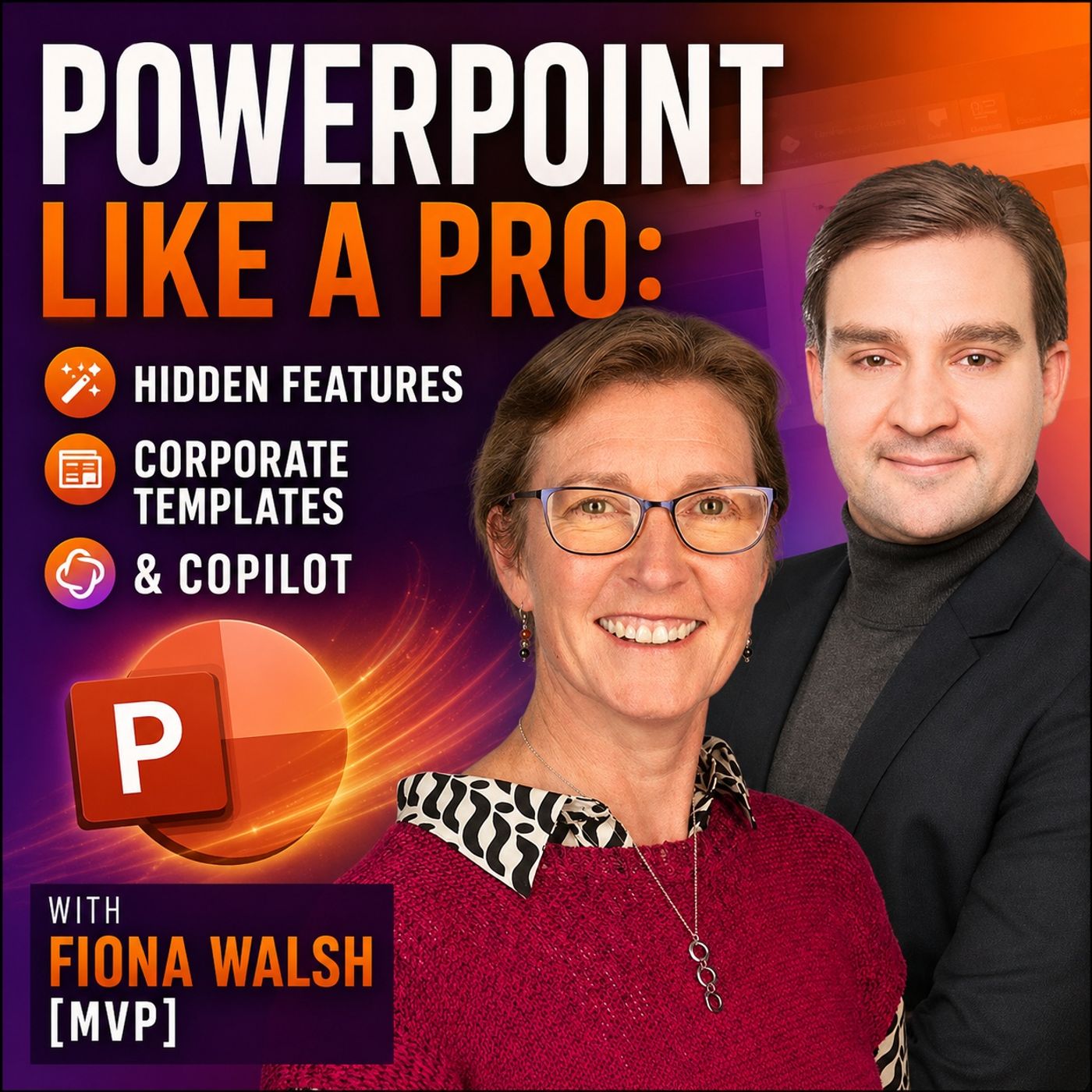
PowerPoint Like a Pro- Hidden Features, Corporate Templates & Copilot with Fiona Walsh [MVP]
About this episode
PowerPoint is one of the most widely used business applications in the world — but many professionals are only scratching the surface of what it can actually do.
In this episode of the M365 FM Podcast, Mirko Peters talks with Microsoft PowerPoint MVP Fiona Walsh about the PowerPoint features that experienced users still overlook, how organizations can build better corporate templates, and where Microsoft Copilot genuinely helps — and where it still has work to do.
Fiona brings more than 20 years of experience helping organizations improve presentations and presentation skills. Her central point is simple: many PowerPoint problems aren't caused by PowerPoint itself. They're caused by people using the same type of deck for completely different purposes. A presentation designed to be read as a PDF should not look the same as slides supporting a speaker on stage.
ㅤㅤ
POWERPOINT FEATURES YOU'RE PROBABLY NOT USING
Some of PowerPoint's most valuable capabilities aren't new at all. Fiona explains why even experienced users regularly miss features that have existed for years and how understanding the fundamentals can dramatically speed up everyday presentation work.
The conversation dives into alignment and distribution tools, grouping, the Selection Pane, object layers, and practical ways to understand complex slides created by someone else. Fiona explains why the Selection Pane in particular can become indispensable when dealing with layered objects, grouped elements, maps, diagrams, and complicated corporate slides.
ㅤㅤ
BUILDING CORPORATE POWERPOINT TEMPLATES THAT ACTUALLY WORK
A corporate template shouldn't simply enforce brand colors and logos. It should make it easier for employees to create good presentations.
Fiona discusses why the Slide Master and available layouts form the foundation of an effective corporate PowerPoint environment. Templates need enough flexibility for different presentation scenarios, including useful title-only layouts, blank layouts and strong image placeholders. Overly restrictive templates often force users to delete placeholders or work around the template instead of benefiting from it.
Good templates also become increasingly important as organizations adopt Copilot. Copilot relies heavily on the layouts available within the presentation template, meaning a poorly designed template can directly limit the quality of AI-generated slides.
ㅤㅤ
SMARTART WITHOUT THE OUTDATED LOOK
SmartArt has been part of PowerPoint for years, but it doesn't have to look dated.
Fiona explains how to keep SmartArt cleaner and more modern, including avoiding unnecessary 3D effects. The discussion covers newer SmartArt options such as timelines, Meet the Team layouts and text cards, as well as converting ordinary text into SmartArt.
One particularly useful workflow is converting SmartArt into grouped shapes. This gives users much greater control when creating organization charts and other custom diagrams while still benefiting from SmartArt during the initial design process.
ㅤㅤ
POWERPOINT SHORTCUTS THAT SAVE REAL TIME
You don't need to memorize dozens of keyboard shortcuts to become faster in PowerPoint.
Fiona highlights Ctrl+D for duplicating objects and slides, Ctrl+G for grouping content, and the often-overlooked Quick Access Toolbar. By placing frequently used commands such as alignment tools and the Selection Pane directly on the toolbar, users can dramatically reduce repetitive navigation through PowerPoint's menus.
ㅤㅤ
WHERE COPILOT IN POWERPOINT ACTUALLY HELPS
Copilot isn't only about asking AI to generate an entire presentation.
Fiona sees significant value in using Copilot before slide creation begins. Users can brainstorm verbally, perform a "brain dump," describe their audience and objectives, and ask Copilot to help structure the presentation.
It can also help develop stronger opening hooks, suggest endings and calls to action, anticipate questions from different audiences, develop analogies, and generate supporting imagery. This can make Copilot particularly useful as a presentation-thinking assistant rather than simply a slide-generation engine.
ㅤㅤ
WHERE COPILOT STILL STRUGGLES
Copilot continues to have difficulty understanding that different presentation formats require fundamentally different approaches.
A presentation intended for an executive meeting, a conference stage and a PDF handout shouldn't automatically use the same design philosophy. Fiona argues that Copilot still struggles with this context and often treats presentations as though one type of deck fits every scenario.
This is also why presentation designers aren't disappearing. AI can assist with creation, but people still need to understand the audience, distill ideas into clear messages and make appropriate design decisions.
ㅤㅤ
BECOMING A BETTER PRESENTER
Creating slides is only part of PowerPoint.
Fiona explores features inside Presenter View that many business users don't know exist, including quickly jumping between slides without showing the audience every intermediate slide. This can be especially valuable during Q&A sessions or when presenters need to adjust their presentation because they're running out of time.
The episode also covers PowerPoint's live subtitle capabilities and translation features, which can make presentations more accessible to multilingual audiences.
ㅤㅤ
REHEARSE TIMINGS AND PRESENTER COACH
PowerPoint can also help you practice your delivery.
Rehearse Timings allows presenters to understand exactly how much time they're spending on individual slides, while Presenter Coach can provide feedback on areas such as speaking pace, filler words, monotone delivery, reading directly from slides and inclusive language.
Fiona recommends practicing presentations out loud rather than simply rehearsing them mentally.
ㅤㅤ
ANIMATIONS, MORPH AND VISUAL STORYTELLING
Animations aren't inherently bad — unnecessary animations are.
Fiona recommends using subtle animation strategically to control when information appears and keep the audience focused on the point currently being discussed. Morph can also replace more complicated animation workflows and help progressively reveal information across slides.
For data storytelling, the same principle applies: visual design should direct attention. Rather than displaying every chart element with equal visual weight, presenters can emphasize the specific data point that matters to the story.
ㅤㅤ
POWERPOINT ISN'T DEAD
Despite recurring predictions that AI and newer presentation platforms will replace PowerPoint, Fiona doesn't see PowerPoint disappearing.
Large organizations remain deeply invested in Microsoft environments, and AI is more likely to change how people work with PowerPoint than eliminate the application entirely. The bigger opportunity is creating presentations that are genuinely fit for purpose and using AI to accelerate specific parts of the workflow.
ㅤㅤ
KEY TAKEAWAYS
PowerPoint mastery isn't about knowing every feature. It's about understanding the fundamentals that make everyday work faster and presentations clearer.
Start with the alignment tools. Learn the Selection Pane. Configure your Quick Access Toolbar. Understand how your corporate template actually works. And use Copilot as a thinking, preparation and storytelling assistant instead of expecting it to automatically produce the perfect presentation.
As Fiona's final recommendation puts it: go explore the Arrange tools and Selection Pane, then put the features you use most onto your Quick Access Toolbar.
Become a supporter of this podcast: https://www.spreaker.com/podcast/m365-fm-a-microsoft-mvp-podcast-by-mirko-peters--6704921/support.
In this episode of the M365 FM Podcast, Mirko Peters talks with Microsoft PowerPoint MVP Fiona Walsh about the PowerPoint features that experienced users still overlook, how organizations can build better corporate templates, and where Microsoft Copilot genuinely helps — and where it still has work to do.
Fiona brings more than 20 years of experience helping organizations improve presentations and presentation skills. Her central point is simple: many PowerPoint problems aren't caused by PowerPoint itself. They're caused by people using the same type of deck for completely different purposes. A presentation designed to be read as a PDF should not look the same as slides supporting a speaker on stage.
ㅤㅤ
POWERPOINT FEATURES YOU'RE PROBABLY NOT USING
Some of PowerPoint's most valuable capabilities aren't new at all. Fiona explains why even experienced users regularly miss features that have existed for years and how understanding the fundamentals can dramatically speed up everyday presentation work.
The conversation dives into alignment and distribution tools, grouping, the Selection Pane, object layers, and practical ways to understand complex slides created by someone else. Fiona explains why the Selection Pane in particular can become indispensable when dealing with layered objects, grouped elements, maps, diagrams, and complicated corporate slides.
ㅤㅤ
BUILDING CORPORATE POWERPOINT TEMPLATES THAT ACTUALLY WORK
A corporate template shouldn't simply enforce brand colors and logos. It should make it easier for employees to create good presentations.
Fiona discusses why the Slide Master and available layouts form the foundation of an effective corporate PowerPoint environment. Templates need enough flexibility for different presentation scenarios, including useful title-only layouts, blank layouts and strong image placeholders. Overly restrictive templates often force users to delete placeholders or work around the template instead of benefiting from it.
Good templates also become increasingly important as organizations adopt Copilot. Copilot relies heavily on the layouts available within the presentation template, meaning a poorly designed template can directly limit the quality of AI-generated slides.
ㅤㅤ
SMARTART WITHOUT THE OUTDATED LOOK
SmartArt has been part of PowerPoint for years, but it doesn't have to look dated.
Fiona explains how to keep SmartArt cleaner and more modern, including avoiding unnecessary 3D effects. The discussion covers newer SmartArt options such as timelines, Meet the Team layouts and text cards, as well as converting ordinary text into SmartArt.
One particularly useful workflow is converting SmartArt into grouped shapes. This gives users much greater control when creating organization charts and other custom diagrams while still benefiting from SmartArt during the initial design process.
ㅤㅤ
POWERPOINT SHORTCUTS THAT SAVE REAL TIME
You don't need to memorize dozens of keyboard shortcuts to become faster in PowerPoint.
Fiona highlights Ctrl+D for duplicating objects and slides, Ctrl+G for grouping content, and the often-overlooked Quick Access Toolbar. By placing frequently used commands such as alignment tools and the Selection Pane directly on the toolbar, users can dramatically reduce repetitive navigation through PowerPoint's menus.
ㅤㅤ
WHERE COPILOT IN POWERPOINT ACTUALLY HELPS
Copilot isn't only about asking AI to generate an entire presentation.
Fiona sees significant value in using Copilot before slide creation begins. Users can brainstorm verbally, perform a "brain dump," describe their audience and objectives, and ask Copilot to help structure the presentation.
It can also help develop stronger opening hooks, suggest endings and calls to action, anticipate questions from different audiences, develop analogies, and generate supporting imagery. This can make Copilot particularly useful as a presentation-thinking assistant rather than simply a slide-generation engine.
ㅤㅤ
WHERE COPILOT STILL STRUGGLES
Copilot continues to have difficulty understanding that different presentation formats require fundamentally different approaches.
A presentation intended for an executive meeting, a conference stage and a PDF handout shouldn't automatically use the same design philosophy. Fiona argues that Copilot still struggles with this context and often treats presentations as though one type of deck fits every scenario.
This is also why presentation designers aren't disappearing. AI can assist with creation, but people still need to understand the audience, distill ideas into clear messages and make appropriate design decisions.
ㅤㅤ
BECOMING A BETTER PRESENTER
Creating slides is only part of PowerPoint.
Fiona explores features inside Presenter View that many business users don't know exist, including quickly jumping between slides without showing the audience every intermediate slide. This can be especially valuable during Q&A sessions or when presenters need to adjust their presentation because they're running out of time.
The episode also covers PowerPoint's live subtitle capabilities and translation features, which can make presentations more accessible to multilingual audiences.
ㅤㅤ
REHEARSE TIMINGS AND PRESENTER COACH
PowerPoint can also help you practice your delivery.
Rehearse Timings allows presenters to understand exactly how much time they're spending on individual slides, while Presenter Coach can provide feedback on areas such as speaking pace, filler words, monotone delivery, reading directly from slides and inclusive language.
Fiona recommends practicing presentations out loud rather than simply rehearsing them mentally.
ㅤㅤ
ANIMATIONS, MORPH AND VISUAL STORYTELLING
Animations aren't inherently bad — unnecessary animations are.
Fiona recommends using subtle animation strategically to control when information appears and keep the audience focused on the point currently being discussed. Morph can also replace more complicated animation workflows and help progressively reveal information across slides.
For data storytelling, the same principle applies: visual design should direct attention. Rather than displaying every chart element with equal visual weight, presenters can emphasize the specific data point that matters to the story.
ㅤㅤ
POWERPOINT ISN'T DEAD
Despite recurring predictions that AI and newer presentation platforms will replace PowerPoint, Fiona doesn't see PowerPoint disappearing.
Large organizations remain deeply invested in Microsoft environments, and AI is more likely to change how people work with PowerPoint than eliminate the application entirely. The bigger opportunity is creating presentations that are genuinely fit for purpose and using AI to accelerate specific parts of the workflow.
ㅤㅤ
KEY TAKEAWAYS
PowerPoint mastery isn't about knowing every feature. It's about understanding the fundamentals that make everyday work faster and presentations clearer.
Start with the alignment tools. Learn the Selection Pane. Configure your Quick Access Toolbar. Understand how your corporate template actually works. And use Copilot as a thinking, preparation and storytelling assistant instead of expecting it to automatically produce the perfect presentation.
As Fiona's final recommendation puts it: go explore the Arrange tools and Selection Pane, then put the features you use most onto your Quick Access Toolbar.
Become a supporter of this podcast: https://www.spreaker.com/podcast/m365-fm-a-microsoft-mvp-podcast-by-mirko-peters--6704921/support.
Get every episode summarized
Each time M365.FM - Modern work, security, and productivity with Microsoft 365 publishes, we email you a written briefing from the transcript — the topics, who appeared, and any specific claims, with the ad reads skipped.
Email me new episodesFree for 3 shows. No card needed.
Hosts & guests
No transcript yet
This episode has not been transcribed. Request it and it moves to the front of the queue.
More episodes
More from M365.FM - Modern work, security, and productivity with Microsoft 365

How Finite Capacity Scheduling Actually Works in Manufacturing
M365.FM - Modern work, security, and productivity with Microsoft 365
Sep 14, 20261:54:54completed

Why Your Critical Path Changes When Production Changes
M365.FM - Modern work, security, and productivity with Microsoft 365
Sep 14, 20261:51:17completed

How AI Changed Software Development Forever — Building the Agentic Future with A...
M365.FM - Modern work, security, and productivity with Microsoft 365
Sep 3, 20261:11:37completed

Architecting Power Platform for Complex Enterprise Solutions with Ian Tweedie [M...
M365.FM - Modern work, security, and productivity with Microsoft 365
Sep 2, 20261:01:31completed