newsJul 13, 202615:38pending
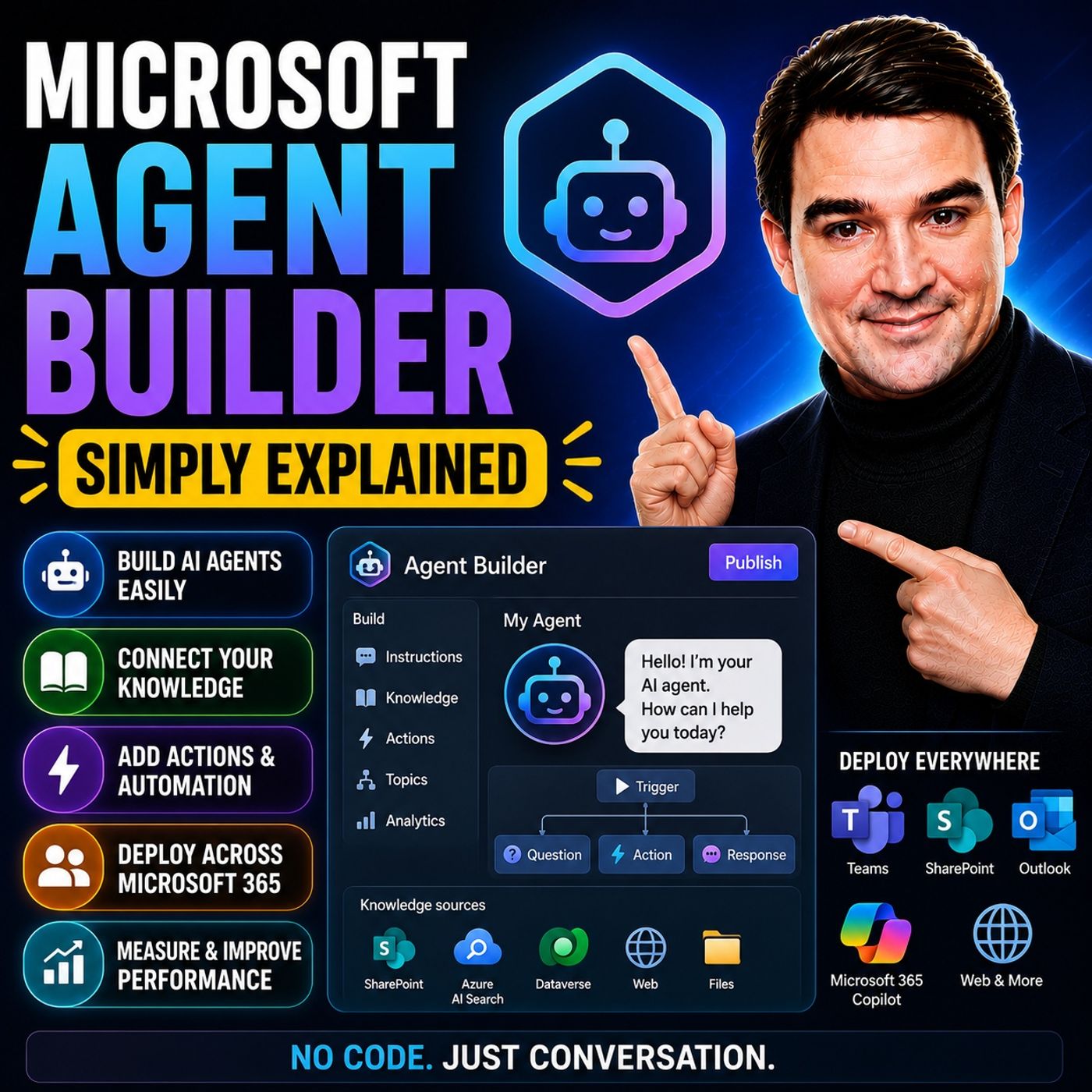
Microsoft Agent Builder — Simply Explained
About this episode
Building AI agents used to require developers, code, and complex AI platforms. Microsoft Agent Builder changes that completely. Built directly into Microsoft 365 Copilot, Agent Builder allows anyone to create an AI assistant simply by describing what they want in plain English. Instead of writing code, you describe the purpose of the agent, connect your company knowledge, and let Copilot generate everything else. In just a few minutes, you can build an internal AI assistant that helps answer questions, find information, and support everyday business processes.
NO-CODE AI AGENTS
Agent Builder lives directly inside the Microsoft 365 Copilot interface. Creating an agent starts with two simple tabs: Describe and Configure. In the Describe tab, you explain what the agent should do, such as helping employees onboard new hires or answering HR questions. Copilot automatically generates the agent's name, description, instructions, and suggested prompts. The Configure tab allows you to refine everything manually, including the agent's behavior, appearance, instructions, and connected knowledge sources.
KNOWLEDGE MAKES THE AGENT SMART
An agent is only as good as the information it can access. Agent Builder allows you to connect SharePoint sites, OneDrive documents, uploaded files, public websites, Teams conversations, and Outlook emails. These become the knowledge base the agent uses when answering questions. For organizations concerned about accuracy, the "Only use specified sources" option limits responses exclusively to approved content, helping reduce hallucinations while ensuring answers remain grounded in company documentation.
BUILDING YOUR FIRST AGENT
Creating an agent requires only a few simple steps. Start by describing the business problem you want to solve. Copilot generates the initial agent automatically. Next, connect the appropriate knowledge sources, customize the instructions if needed, add suggested prompts, and publish the agent. Within minutes, your AI assistant appears alongside Microsoft 365 Copilot, ready to answer questions based on your organization's knowledge.
START FASTER WITH TEMPLATES
Microsoft provides several ready-made templates to accelerate development. Templates such as Career Coach, Researcher, and Analyst provide prebuilt structures for common business scenarios. Rather than starting with a blank page, users simply customize the template by replacing the knowledge sources and adjusting the instructions to match their organization's requirements. Templates significantly reduce setup time while providing proven conversational structures.
AGENT BUILDER VS. COPILOT STUDIO
Microsoft offers multiple ways to build AI agents, each targeting different audiences. Agent Builder is designed for business users who need internal knowledge assistants without writing code. Copilot Studio adds low-code workflows, external connectors, automation, and multi-step business processes suitable for enterprise solutions. AI Foundry sits at the highest level, giving developers full control over models, orchestration, and advanced AI applications. For most organizations beginning their AI journey, Agent Builder provides the fastest path to delivering business value.
UNDERSTANDING THE LIMITATIONS
Agent Builder is intentionally designed to remain simple. It creates internal Microsoft 365 agents only. It cannot publish chatbots to public websites, connect directly to external systems like Salesforce or ServiceNow, execute complex workflows, or automate business processes. Organizations needing external-facing agents, advanced automation, or enterprise integrations should move to Copilot Studio instead.
SECURITY AND GOVERNANCE
Security is built into Agent Builder from the beginning. Agents automatically inherit existing Microsoft 365 permissions, meaning users can only receive information they already have permission to access. SharePoint permissions, Teams access, and document security continue to apply without requiring additional configuration. Combined with grounded knowledge sources and Microsoft's existing security model, Agent Builder allows organizations to introduce AI safely without creating new permission risks.
WHY MICROSOFT AGENT BUILDER MATTERS
Microsoft Agent Builder dramatically lowers the barrier to creating useful AI assistants. Business users no longer need developers or AI specialists to build internal knowledge assistants. Instead, they can describe their requirements, connect company information, and deploy an intelligent assistant within minutes. For organizations beginning their AI adoption journey, Agent Builder offers one of the fastest and simplest ways to bring conversational AI into everyday work while providing a clear upgrade path to Copilot Studio and AI Foundry as business requirements grow.
Become a supporter of this podcast: https://www.spreaker.com/podcast/m365-fm-a-microsoft-mvp-podcast-by-mirko-peters--6704921/support.
NO-CODE AI AGENTS
Agent Builder lives directly inside the Microsoft 365 Copilot interface. Creating an agent starts with two simple tabs: Describe and Configure. In the Describe tab, you explain what the agent should do, such as helping employees onboard new hires or answering HR questions. Copilot automatically generates the agent's name, description, instructions, and suggested prompts. The Configure tab allows you to refine everything manually, including the agent's behavior, appearance, instructions, and connected knowledge sources.
KNOWLEDGE MAKES THE AGENT SMART
An agent is only as good as the information it can access. Agent Builder allows you to connect SharePoint sites, OneDrive documents, uploaded files, public websites, Teams conversations, and Outlook emails. These become the knowledge base the agent uses when answering questions. For organizations concerned about accuracy, the "Only use specified sources" option limits responses exclusively to approved content, helping reduce hallucinations while ensuring answers remain grounded in company documentation.
BUILDING YOUR FIRST AGENT
Creating an agent requires only a few simple steps. Start by describing the business problem you want to solve. Copilot generates the initial agent automatically. Next, connect the appropriate knowledge sources, customize the instructions if needed, add suggested prompts, and publish the agent. Within minutes, your AI assistant appears alongside Microsoft 365 Copilot, ready to answer questions based on your organization's knowledge.
START FASTER WITH TEMPLATES
Microsoft provides several ready-made templates to accelerate development. Templates such as Career Coach, Researcher, and Analyst provide prebuilt structures for common business scenarios. Rather than starting with a blank page, users simply customize the template by replacing the knowledge sources and adjusting the instructions to match their organization's requirements. Templates significantly reduce setup time while providing proven conversational structures.
AGENT BUILDER VS. COPILOT STUDIO
Microsoft offers multiple ways to build AI agents, each targeting different audiences. Agent Builder is designed for business users who need internal knowledge assistants without writing code. Copilot Studio adds low-code workflows, external connectors, automation, and multi-step business processes suitable for enterprise solutions. AI Foundry sits at the highest level, giving developers full control over models, orchestration, and advanced AI applications. For most organizations beginning their AI journey, Agent Builder provides the fastest path to delivering business value.
UNDERSTANDING THE LIMITATIONS
Agent Builder is intentionally designed to remain simple. It creates internal Microsoft 365 agents only. It cannot publish chatbots to public websites, connect directly to external systems like Salesforce or ServiceNow, execute complex workflows, or automate business processes. Organizations needing external-facing agents, advanced automation, or enterprise integrations should move to Copilot Studio instead.
SECURITY AND GOVERNANCE
Security is built into Agent Builder from the beginning. Agents automatically inherit existing Microsoft 365 permissions, meaning users can only receive information they already have permission to access. SharePoint permissions, Teams access, and document security continue to apply without requiring additional configuration. Combined with grounded knowledge sources and Microsoft's existing security model, Agent Builder allows organizations to introduce AI safely without creating new permission risks.
WHY MICROSOFT AGENT BUILDER MATTERS
Microsoft Agent Builder dramatically lowers the barrier to creating useful AI assistants. Business users no longer need developers or AI specialists to build internal knowledge assistants. Instead, they can describe their requirements, connect company information, and deploy an intelligent assistant within minutes. For organizations beginning their AI adoption journey, Agent Builder offers one of the fastest and simplest ways to bring conversational AI into everyday work while providing a clear upgrade path to Copilot Studio and AI Foundry as business requirements grow.
Become a supporter of this podcast: https://www.spreaker.com/podcast/m365-fm-a-microsoft-mvp-podcast-by-mirko-peters--6704921/support.
Get every episode summarized
Each time M365.FM - Modern work, security, and productivity with Microsoft 365 publishes, we email you a written briefing from the transcript — the topics, who appeared, and any specific claims, with the ad reads skipped.
Email me new episodesFree for 3 shows. No card needed.
No transcript yet
This episode has not been transcribed. Request it and it moves to the front of the queue.
More episodes
More from M365.FM - Modern work, security, and productivity with Microsoft 365

Constraint-Based Scheduling: The Architecture That Makes Production Plans Real
M365.FM - Modern work, security, and productivity with Microsoft 365
Sep 15, 20261:51:40queued

A Machine Goes Down. How Should Your Production Plan React?
M365.FM - Modern work, security, and productivity with Microsoft 365
Sep 15, 20261:41:43queued

Can Value Stream Mapping Become a Live Data Model?
M365.FM - Modern work, security, and productivity with Microsoft 365
Sep 15, 20261:48:32queued

How Finite Capacity Scheduling Actually Works in Manufacturing
M365.FM - Modern work, security, and productivity with Microsoft 365
Sep 14, 20261:54:54completed