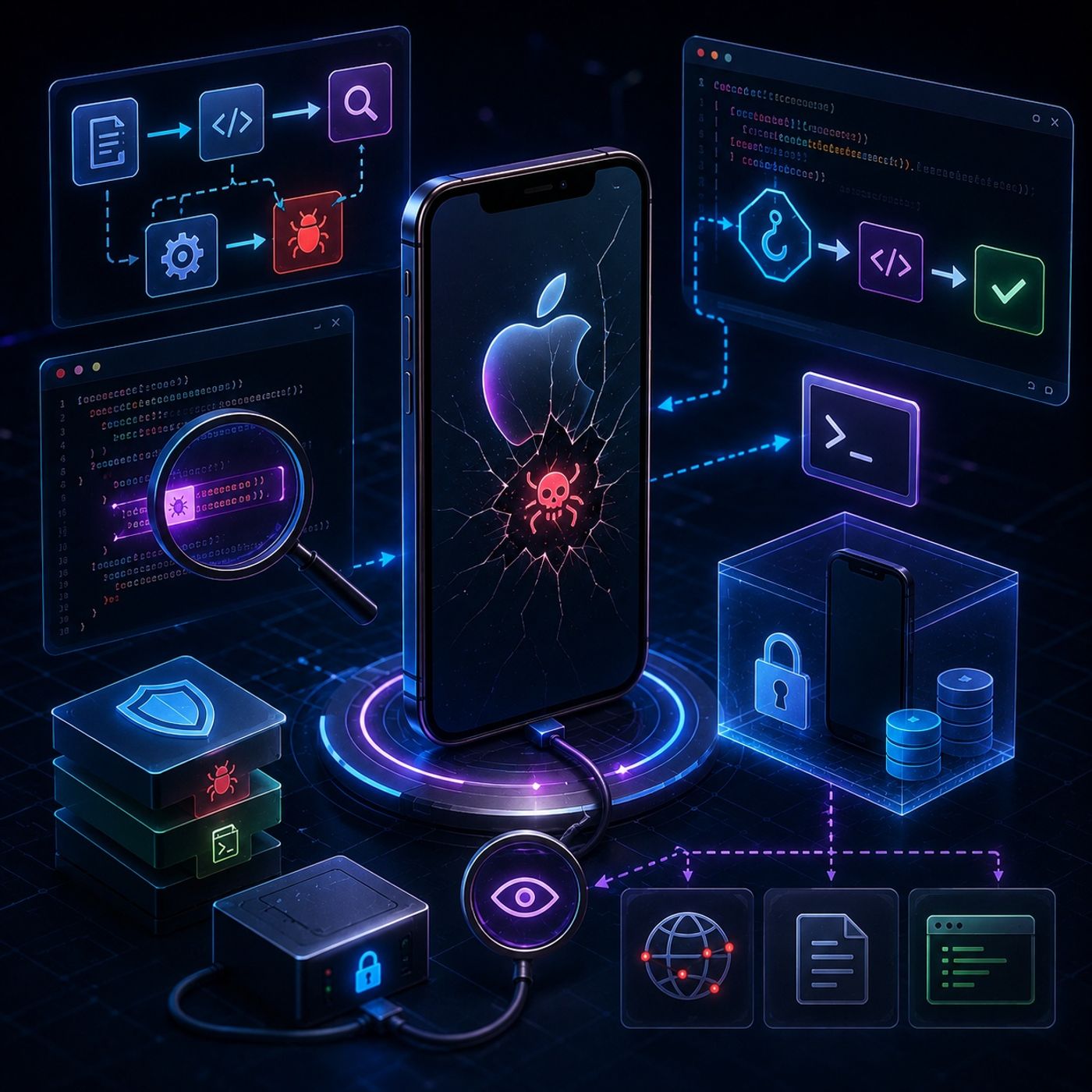
Course 42 - Mobile Malware Analysis Fundamentals | Episode 10: The Essentials of Dynamic Analysis
About this episode
- Application Entry Point
- The standard entry point for an iOS application is UIApplicationMain.
- It initializes the application runtime and connects the application to its App Delegate, which manages important lifecycle events.
- Method Swizzling
- Method swizzling allows an analyst to intercept or replace a class method at runtime.
- In a controlled malware-analysis environment, you can hook a method responsible for a network/environment check and alter its behavior so the application follows a different execution path.
- This can help determine what the malware would do if the expected condition were satisfied.
- Languages
- Objective-C is particularly important because iOS runtime behavior and method dispatch are heavily based on Objective-C's runtime.
- JavaScript is useful when working with Cycript to interact with and manipulate the running process.
You can listen and download our episodes for free on more than 10 different platforms:
https://linktr.ee/cybercode_academy
Get every episode summarized
Each time CyberCode Academy publishes, we email you a written briefing from the transcript — the topics, who appeared, and any specific claims, with the ad reads skipped.
Email me new episodesFree for 3 shows. No card needed.
Hosts & guests
Transcript ready
520 searchable segments. Every word is indexed and playable.
Full transcript
CyberCode Academy — Course 42 - Mobile Malware Analysis Fundamentals | Episode 10: The Essentials of Dynamic Analysis. Machine-transcribed; use the interactive transcript above to jump the player to any line.
Imagine for a second that you are a bomb disposal expert. Okay, I'm with you. But instead of, you know, sweating over a ticking device in a crowded city square, like gently trying to figure out whether to cut the red wire or the blue wire, you use a completely different strategy. A safer one, hopefully. Exactly. Yeah. You take that explosive device, you lock it inside a heavily reinforced steel vault, you step back behind like three feet of blast glass, and you just detonate it. You just blow it up. You blow it up on purpose just to watch exactly how the explosion works. I mean, you want to see what triggers first, how big the blast radius is, what kind of shrapnel flies out. It's such a vivid image, and honestly, it really perfectly captures the essence of dynamic malware analysis. Right. Because you aren't trying to diffuse the malicious code by gently picking it apart in the dark. You are giving it a safe, contained, you know, heavily monitored space to just do its absolute worst. Also, you can observe exactly what it's programmed to do.
Exactly. And that is our mission for today's deep dive. We're going to walk you through the practical step-by-step scientific process of dynamic analysis. Specifically looking at the iOS environment, so Apple devices. Yeah. We want to uncover the true functionality of a suspicious application by letting it run and carefully recording the results. So we're talking about tracking network connections, device modifications, hidden behaviors. Everything that happens while the app is alive and breathing basically. Right. So to connect this to the broader picture of how we analyze malware, maybe we should contrast it with static analysis first. Yeah, that's a good idea. Because if you've ever looked at static analysis, well, let me see if I can unpack that within an analogy. So if static analysis is like studying the blueprints of a house, like looking at the architectural drawings to see where the doors and windows are supposed to be. Right. Then dynamic analysis is letting the construction crew actually build the house while you sit across the street with a pair of binoculars to see if they install a secret trap door that definitely wasn't on those original blueprints.
That is a great way to look at it. Because blueprints can lie or, well, they can be deliberately confusing. Go for sure. Malware authors are incredibly skilled at obfuscating their code, hiding their true intention so that your static analysis just hits a brick wall. Yeah. But eventually the malware has to run, I mean, it has to execute its instructions to steal data or compromise the system. It has to do the thing it was built to do. Exactly. And when it does, it steps out of the shadows and reveals its true nature. Okay. So if we're going to detonate this digital bomb, we need to build that reinforced steel vault first, which brings up an immediate problem. Where do we run it? Yeah. Where do we safely run iOS malware? Because I am definitely not installing a suspicious file on my personal phone. Absolutely not. No, you need an isolated environment. And typically you have three main avenues for creating one. Okay. What are they? The first avenue is using online sandboxes. These are quick web-based tools where you basically just upload the file and their servers run it in a virtual environment for you.
Sounds easy enough. It is. The second avenue involves third-party framework, so open-source tools created by the community. And the third avenue is building a custom lab yourself, which gives you total granular control over every aspect of the device. But when we talk about building a custom labs or iOS specifically, there's a massive hurdle here, right? Because Apple's ecosystem is seamlessly a walled garden. Oh, it is extremely locked down. I mean, the biggest challenge for anyone beginning iOS dynamic analysis is just the sheer time commitment. And the knowledge required, right? Yeah, the deep knowledge of operating system internals you need just to set up a custom lab. Because Apple designs iOS specifically to prevent the kind of deep root-level system access that a malware analyst actually needs to do their job. Right, because everything is sandboxed. Everything needs cryptographic signatures. Exactly. So building a lab where you can bypass those protections, install specific monitoring software, and control every single variable.
It's a very steep learning curve. Okay, I have to push back here, though. Go for it. If it takes weeks of time and highly specialized knowledge to build a custom lab that basically has to fight against Apple's architecture, why do it? That's a fair question. Like, why reinvent the wheel if I could just use one of those online sandboxes you mentioned earlier? They run the file for me. Isn't that enough? It's a really good point. And sandboxes are great for quick wins and we absolutely do use them. But here's the problem. Deep artifacts, like the really sneaky behaviors of advanced malware, they're often hidden. Hidden how? Well, first off, an online sandbox might only give you top-level reporting unless you pay for a really expensive premium subscription. But more importantly, modern malware is smart. Smart how? Like, it knows it's being watched. Exactly that. Sometimes malware actually checks its environment before it denates. It looks for specific hardware markers, or it checks if certain standard user files exist, like photos or contacts. Wow, okay.
Yeah, and if it detects that it's sitting inside a generic, automated web sandbox, it might just stay dormant. It just plays dead. So the malware checks the vault, realizes it's a sterile vault with blast glass all around it, and decides not to explode. Precisely. That is why having the skills to build a custom lab is eventually completely necessary. To trigger those hidden behaviors, you often need a bespoke environment that tricks the malware into thinking it's on a real vulnerable device being used by a real human. Okay, I get it now. However, because building that lab takes so much time, a practical, everyday workflow usually does start with those quick wins. Right, so if I'm sitting in my desk today and I've got a suspicious file, I'm not going to spend a whole week building a custom lab just to get a preliminary read. Where do I go right now to gather initial intelligence? The very first step you take is grabbing your iOS application file and uploading it to a reputable online sandbox. Now, an iOS app file is called an IPA file. Wait, let's define that for a second. What actually is an IPA file?
Good point. So IPA stands for iOS app store package. When you download an app to your phone, you are downloading an IPA. Under the hood, it is essentially just a specialized ZIP archive. It contains the app's binary code, its graphics, its audio files, and its configuration documents. So you take this IPA file and you upload it to a sandbox service, something like virus total or Joe sandbox. Okay, so I literally drag and drop this suspicious IPA file into my web browser. The sandbox spins up a virtual device on their end and runs all its automated checks. Right. What am I specifically looking for when the results pop up on my screen? You're looking for a few very specific indicators. First, you want to extract strings of text embedded in the code. Like what kind of strings? Things like error messages or maybe URLs or even hard coded passwords if the developer was sloppy. Second, you are looking for any network connections the app tries to make the very moment it wakes up. Okay. And third, you want a list of the external libraries
or frameworks the app relies on to function. Let's make that real for a second. Let's say I upload a simple flashlight app. I look at the sandbox results and it tells me this flashlight app is trying to make a network connection to an unknown server in a foreign country. And it's using a software library specifically designed to access the device's microphone. Which is a massive red flag. I mean, a flashlight does not need internet access and it certainly does not need to listen to your microphone. Definitely not. So the goal of this initial step is to quickly confirm the hypotheses you might have formed earlier. It gives you the immediate context you need before you invest hours into deep manual analysis. But as we discussed, those sandboxes only go so far, right? Because they are automated web tools. They can't realistically mimic a real user swiping around entering passwords or triggering complex application states. So to really poke and prod the app and reverse it to reveal its deepest secrets, we have to interact with it while it is running on a physical device that we control.
That's right. We have to move from the web to the laboratory. But I'm guessing before we can manipulate the app, we have to actually understand its biological makeup. I mean, how does an iOS app actually boot up? Yeah, this is a really crucial concept. If you don't understand the normal execution flow of an application, you won't know where to insert your monitoring tools. You just be guessing. Okay, so let's break this down step by step. I'm holding my phone. I tap a suspicious app icon on my home screen. What actually happens underneath the glass? First, we need a tiny bit of context on the programming language itself. Traditionally, iOS apps have been built using Objective-C. And what's important to know is that Objective-C is a superset of the C programming language. Why does that matter to us as analysts, though? Because it gives the language this kind of dual nature, it has the high level organized structure of object-oriented programming, sure. But because it sits on top of C, it also allows for very low-level direct manipulation of the device's memory. Oh, I see.
And that low-level memory access is exactly what we're going to exploit later. Yeah. So, keeping that in mind, when you tap the app icon, the application begins with what is called the main function. Every single C-based program starts at main. Okay, so main is the starting line. Right. But in an iOS app, the main function really only has one single job. It delegates. It immediately calls a method called UI Application Main. UI Application Main, and what does that do? It creates a UI Application Object. Think of this object as the high-level manager of the app. It handles the main event loop, so it's constantly listening for touch inputs, screenswipes, or system notifications. Okay, the manager. But this UI Application Object doesn't actually handle the custom logic of the app itself. Instead, it immediately starts talking to another critical component called the app delegate. The app delegate. I feel like I've heard this term. Who is this character in the system? The app delegate is a custom object created by the developer of the app. Its primary purpose is to manage the application's states.
States? Like what? Well, there are typically five different states an app can be in. Like whether it's active on your screen, running silently in the background, or maybe suspended entirely, the UI Application Object notifies the app delegate whenever these state changes happen. And the app delegate decides how the app should react. Okay, let me see if I can visualize this execution flow. Let's compare it to going to a restaurant. Okay, let's hear it. So tapping the app icon is like walking through the front door of the restaurant. The main function is the host at the grieving stand. Right. The host doesn't cook your food or take your order. Their only job is to point you to the manager. That manager is UI Application Main. The manager runs the whole floor, making sure the lights are on, the tables are clean, everything is running. I'm tracking. But when it's time to actually deal with your specific needs, like when your state changes from waiting to ready to order, the manager hands you off to a specific waiter. That waiter is the app delegate. The waiter actually takes your order and handles your specific requests.
I like that a lot. That really works. And just to finish the analogy, once the waiter has your order, the kitchen starts cooking. So in our app, a method called Application did finish launching is returned. At that exact moment, the application window launches on your screen. And from that point on, a continuous cycle called the run loop takes over. The kitchen is constantly turning, checking for new orders, or in the apps case, checking for new user taps or system updates. Why did Apple design it this way, though? Like why separate the manager from the waiter? It's mostly about stability and security. By separating the high-level touch events from the custom logic of the app, Apple basically ensures that if a developer writes really bad code in the app delegate, it might crash the app, sure, but it won't crash the entire operating system's touch interface. Oh, that makes total sense. And for an analyst, I guess it means we have a reliable, standardized starting point. Like no matter what restaurant we walk into, we know the host is at the door, the manager runs the floor,
and the waiter takes the order. We don't have to guess how the app boots up, which means we know exactly where to set our traps. Yeah. You nailed it. Which brings us to actually preparing the physical hardware for our lab. We know how the app functions internally. Now we need a physical device that will let us intercept those functions. And this requires a jailbroken iOS device, right? It does. Yeah, without a jailbroken device, dynamic analysis on iOS is virtually impossible. Let's clarify what jailbreaking actually means technically, for those who might just think of it as hacking a phone. Sure. Remember how we talked about Apple's walled garden? Normally apps are locked in user partitions. They can't access the core system files at all. Jailbreaking is the process of exploiting vulnerabilities in iOS to remove those software restrictions. It breaks them out of the sandbox. Exactly. It escapes the sandbox and gives us root access, the ultimate administrative privileges. It lets us see and modify the entire file system from the ground up. And obviously, this should be a dedicated test device, right?
Like never your personal phone that has your actual banking apps and emails on it. Never, ever your personal phone. Once you have your jailbroken test device, you need to install a specific toolkit. First, you'll need an alternative app store like Cidia, which usually just comes installed with the jailbreak itself anyway. Okay. Next, you'll need Darwin CC tools. Hold on, Darwin CC tools. What is Darwin? Ah, so Darwin is the open source, Unix-like core operating system that iOS and MacOS are actually built on top of. Oh, I didn't know that. Yeah. And the CC tools are basically the foundational compilers and utilities that allow your custom software to talk directly to that underlying operating system. Okay, got it. What else is in the toolkit? You'll need open SSH. And finally, you'll need a command line JavaScript framework. For our purposes today, we'll just refer to it broadly as the script framework. I want to pause on open SSH for a second. Because I know SSH is used for remote access. But if my test phone is literally sitting on the desk right in front of me,
plugged into my laptop via USB, why do I need to remotely log into it? Because you really do not want to be trying to type complex multi-line code injections using a tiny little touch screen keyboard on a phone. Oh, right. Yeah, that sounds like a nightmare. It is. Open SSH allows you to open terminal windows on your large computer monitor and type commands using a full normal keyboard, securely executing them on the phone in real time. Okay, that makes total sense. It's just a workflow thing. It is. But there is a massive crucial security step. You absolutely must take the exact moment you install open SSH. Uh-oh. What is it? Well, by default, every single iOS device ships with the exact same underlying route password. When I guess it's something incredibly basic. It is a legacy Unix default. The root password is Alpine, ALPI and E. Wow. Yeah. So if you jail break a device, game root access, install open SSH and do not change that default password, your phone is now broadcasting remote access to anyone. That's bad. Your custom malware lab is just wide open to anyone else on your network who wants to log in and
take control of it. You basically built a reinforced steel vault, put a live bomb inside, and then left the combination lock set to 1234. Exactly. And it happens way more often than you'd think. So you have to change that password immediately. Once that's secure, you want to set up your workflow on your computer screen. The most efficient way to do this is to open two separate shell windows side by side. Why too? You use one shell window to navigate the device's file system. So moving files around, checking directories, seeing what the malware is writing to the disk. And you use the second shell window to run your script framework commands simultaneously. This lets you observe the environment in one window while you fire off live commands and the other. Okay. So the device is prepped. The tools are loaded. The default password is changed. My two shell windows are open on my monitor. It's time for the main event. We are finally going to inject our tools directly into the beating heart of the running application. Yes. First, we have to pick our target. If you just want to practice these techniques,
default system applications like the iOS Springboard, which manages the home screen, they're actually unencrypted. They're fantastic, easy targets for beginners to learn how hooking marks. But what if I want to analyze a suspicious app I found? Or maybe even a legitimate app from the app store, just to see how it handles my privacy? That's where you hit another layer of Apple security. Any app downloaded directly from the official app store is encrypted using Apple's Fairplay Digital Rights Management. Of course it is. Yeah. So to analyze those directly on the device, you would theoretically have to run the app, dump the decrypted code from the active memory, pull those files over to your Mac, analyze them and push them back. It's a very tedious time-consuming process. Is there a workaround for that? Because pulling memory dumps back and forth sounds like it completely breaks the flow of dynamic analysis. There is a workaround, thankfully. You can side-load unencrypted third-party IPA files directly onto your jail-broken device, using tools like CitiA Impactor or AppSync. Oh, nice. Yeah, you just connect your phone via USB,
point your computer at the unencrypted IPA file, and it forcefully installs it, just bypassing the app stores encryption checks entirely. Perfect. Okay, so we have our unencrypted target app running on the screen of our jail-broken phone. I'm looking at my two-show windows. What is the actual action I take? You use your JavaScript script framework to hook into the application's process ID. Whenever an app runs, the operating system assigns it a unique ID number. Our framework basically latches onto that ID, essentially merging our command line terminal directly with the app's internal memory space. And this brings us to the absolute climax of the whole process. A concept with a very funny name, but incredibly powerful implications. Methods swizzling. Yes, method swizzling is brilliant. It leverages that low-level memory access we talked about earlier with Objective-C. Using a combination of JavaScript and Objective-C commands through our framework, we can interact with and physically change the methods of a specific object while the application is actively running.
Hello, let me just make sure I understand this. Are we literally rewriting the app's source code live on the fly? Because that sounds impossible. We aren't rewriting the source code no. We are manipulating memory pointers. So think of every function in an app as a house with a specific address in the device's memory. Okay, I'm picturing it. When the app needs to check something, it sends a request to that specific address. Methods swizzling allows our script framework to act like a malicious traffic cop. Okay. When the app asks for the directions to a specific function, our framework intercepts that request and points the app to a completely different address in memory, an address that we control. That is wild, but how do we even know what addresses to redirect? Like, how do you know what to swizzle? This is exactly where your previous static analysis pays off. Remember the blueprints. During static analysis, you mapped out the app's structure. You know that somewhere in the code, there is a method called, for example, check e-user is premium. And normally, for a free user, it just returns false.
Oh, I see. Because I read the blueprints, I know exactly what the method is named. Exactly. You use your script framework to hook the app, target the check of users of premium method, and you swizzle it. You tell the traffic cop to redirect any request for that method to a new block of code that simply always returns true. You just modified the app's behavior at runtime without changing the underlying file. Wow. Now, apply that to malware. Right. If the malware has a method called, I don't know, detect sandbox and hide, you swizzle it to always return false. The malware asks the system, am I in a sandbox? And your traffic cop forces the system to say, nope, you're totally safe. Exactly. You just forced the malware to reveal its malicious payload right there in your vault. That is an incredible aha moment. You are literally forcing the bomb to detonate by hotwiring its own circuitry while it's ticking. It is the ultimate level of control over a piece of software. It really allows you to peel back every single layer of evasion on malware author tries to throw at you.
So let's summarize this incredible journey we just been on. We started by safely uploading our IPA file to a web sandbox to grab quick strings and network data. Right. Then we dug into the execution flow, learning how the main function delegates to the UI application manager and the app delegate waiter. We prepped our physical lab by geobraking a device, setting up our Darwin tools and SSH, and changing that incredibly dangerous default password. Yes. And finally, we used a script framework to hook the live process and perform methods whizzling, acting as a traffic cop to redirect memory on the fly. That is the complete practical life cycle of a dynamic analysis session. And since our goal here is that you deeply understand and can actually apply this knowledge, I want to pose a quick review question for you, the listener, just to test your grasp on that iOS architecture we discussed. Oh, a pop quiz. I love it. Let's hear it. Think back to the execution flow of an iOS app. If you are analyzing a piece of malware and you specifically wanted to observe what the malware does when the application is pushed to the background,
so say when the user switches to another app, which object would you focus on inspecting? Would you hook the UI application object or the app delegate? I'll give everyone a second to think about it. Take your time. Okay. If I remember my restaurant analogy correctly, the UI application is the general manager running the floor, but the app delegate is the specific waiter that handles the custom state changes, like going from active to background. Spot on. You would want to inspect the app delegate because it is uniquely responsible for managing those state transitions, including moving to the background. Awesome. This has been a truly eye-opening deep dive. But before we wrap up, we always like to leave you with a lingering question. Something that you want. Yeah. And this raises a very important question about the nature of these tools in general. We've just spent this entire time talking about how security analysts use jailbroken phones, powerful frameworks, and methods whizzling to hook into an app and modify its behavior at runtime for good, to expose malware and understand threats.
Right. We are using the tools to build a safe fault. But the technology itself is completely neutral. Memory pointers don't care who is redirecting them. So if we can do this, what is stopping malicious actors from using these exact same runtime injection and method swizzling techniques to manipulate legitimate applications, like your banking app or your secure messaging app on a compromised device? Man, that is a terrifying thought. The idea that the very tools we use to study the bomb could actually be used to turn a perfectly safe app into a weapon without rewriting a single line of its original code. Definitely something to ponder the next time you tap an app icon. Thanks for joining us on this deep dive.
More episodes
More from CyberCode Academy

Course 42 - Mobile Malware Analysis Fundamentals | Episode 14: Architecture and...
CyberCode Academy

Course 42 - Mobile Malware Analysis Fundamentals | Episode 13: Designing and Arc...
CyberCode Academy

Course 42 - Mobile Malware Analysis Fundamentals | Episode 12: Dynamic Analysis...
CyberCode Academy

Course 42 - Mobile Malware Analysis Fundamentals | Episode 11: Dynamic Analysis...
CyberCode Academy