About this episode
Get every episode summarized
Each time Bright Side publishes, we email you a written briefing from the transcript — the topics, who appeared, and any specific claims, with the ad reads skipped.
Email me new episodesFree for 3 shows. No card needed.
Hosts & guests

Transcript ready
190 searchable segments. Every word is indexed and playable.
Full transcript
Bright Side — Why USBs Have 2 Holes + 15 Tech Secrets I Recently Discovered. Machine-transcribed; use the interactive transcript above to jump the player to any line.
New Maybelline Serum Lipstick, maybe it's not just lipstick, it's lush color with endless possibilities. It's serum infused with the hyaluronic acid and oil blend. For 8-hour pumping moisture, in tone-enhancing shades, it's more than the shade, it's who's wearing it. You. New Maybelline Serum Lipstick. Maybe it's Maybelline. Starting a business can seem like a daunting task, unless you have a partner like Shopify. They have the tools you need to start and grow your business. From designing a website, to marketing, to selling, and beyond, Shopify can help with everything you need. There's a reason millions of companies like Mattel, Hines, and Allbirds continue to trust and use them. With Shopify on your site, turn your big business idea into... Sign up for your $1 per month trial at Shopify.com slash special offer. Decades ago, no one would ever imagine keeping a stick in their pocket that could hold
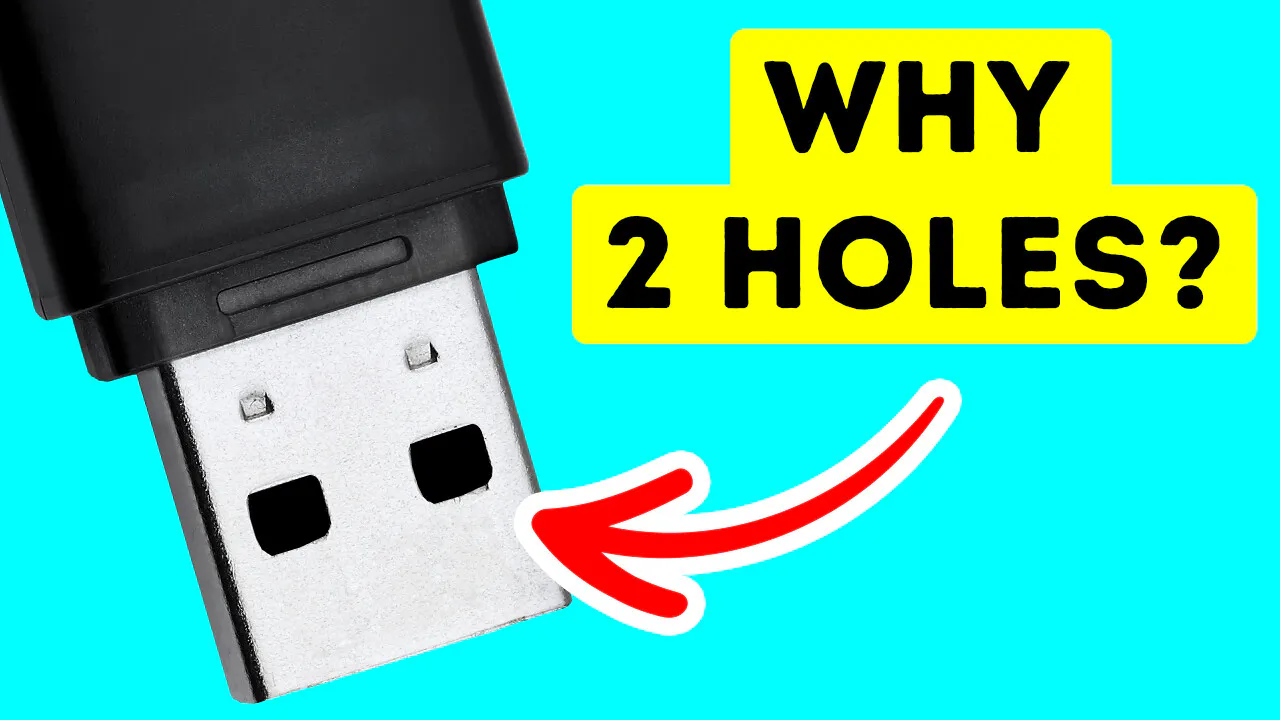
hundreds of gigabytes. We've come a long way since then, and got used to USBs transferring our files from device to device with ease. In 2000, two major companies developed and sold the first USB flash drives 1.0, which snowballed into USB 2.0, 3.0, Type-C, and so on. Physically, they can endure rough treatment and won't get damaged easily, especially if you get proper protection. By design, USBs are almost perfect, so perfect that you always make the mistake of inserting it in the wrong way. Admit it. The two square holes are used to help the USB secure its position once it's inside the port. It's not strong enough to keep it stuck, but strong enough to do its job. You can protect your USB with proper encryption. This means that if anyone gets their hands on them, they won't be able to read them. Encrypted files end up being scrambled into gibberish of a series of letters and numbers, instead of comprehensive words to anyone who tries to read it.
The file is only accessible if someone gets their hands on that USB. But if you're using certain online services like messaging or emailing, then encryption is simply not enough. Sure, the person on the other end can't read the contents of the work, but the hosting website can. This is where end-to-end encryption comes in. That means any information that goes in and out is again, scrambled into gibberish to anyone who is in the way of your traffic, including the hosting service. Cloud storage has taken the world by storm. You can now save everything that's on your desktop to the internet and access that data across multiple devices. All you need is an email and password and boom, you're safe and have all your files in one place. Cloud storage isn't data floating up in the clouds, but less excitingly, servers that physically store data. They're like regular computers, just minus the monitors for viewing. These servers take up a lot of money.
That's why you normally have to pay for their services. The servers are placed in data centers all around the world where third-party companies manage them. It's like getting remote access to a computer. The servers include a master control server backup server. This episode is brought to you by Redfin. You're listening to a podcast, which means you're probably multitasking. Maybe even scrolling home listings on Redfin, saving homes without expecting to get them. But Redfin isn't just built for endless browsing. It's built to help you find and own a home. With agents who close twice as many deals, when you find the one, you've got a real shot at getting it. Get started at Redfin.com. Own the dream. Sierra has all the best active and outdoor brands for this super athletic stuff, like running gear for cruising up the trail. Woo! And the super athletic is stuffed, like fishing gear for chillin' by the creek. Nice cast. If it is a pair of the push for higher reps, you got this.
And golf balls price so you can afford to lose one. Or a few. Go to Sierra or Sierra.com for the brands you want at the prices that let you do it all. From athletic to a flesh, Sierra's got it. Server and a linked supply of servers operating to maintain a good quality service. The more money you pay, the better the server your data will be stored in. In the realm of computers, you just can't delete something to be gone forever. Whatever file you want to remove is already present in the hard disk as electrical impulses. And depending on your gadget, it will be disposed of in a recycled bin or the garbage. That isn't to say that it isn't still there. It simply implies that the file has been moved to a different folder, from which you can easily recover it. So if you're worried about accidentally deleting a crucial document you've been working on for weeks, don't panic. It's knocked on for good. But if your device breaks, then all your data is lost. If you own a device that has Windows 10, then you've probably been shutting down thinking
that your computer or laptop is completely off. This is not the case. Windows 10 doesn't actually shut down, but goes into a state of hibernation. It keeps your app saved for you to recover. The proper way to shut it down is by resetting it. Windows operating system is known for being user friendly with all the commands displayed in front of you. But for computer WizKids, know that you can open the search bar and type CMD for the command prompt. It looks just like a bunch of random characters, but this is where you can achieve a lot with your device. If you don't like the black window, you can always change the color of your shooting. Once you launch the command prompt window, right click on the title bar and then on properties. Another window will open which has the option of choosing colors. You can pick the colors you want for the background and text or fix the opacity for the CMD window. This is easy mode. The real work is typing commands in the window.
If you want to look for all your drivers on your Windows 10 device, then type in this command in the window. Don't forget to add spaces. The list of servers will magically pop up on your screen. This is a good way to get to the bottom of your issue, instead of searching for them manually. You can also hide specific folders on your computer through the command prompt by typing this command and pressing enter. Of course, you'll have to type in the folder you want to hide and proof it's gone. The non-tech way of doing this is by opening the properties pane in the folder and clicking on the checkbox that shows hidden. While this is indeed the easy way of hiding your folders, it's not the most effective. You can simply write, show hidden files and folders and every checkbox you check will be visible again. The command prompt isn't all about business. You can try playing a game there to pass the time. Don't expect a triple A kind with realistic graphics and epic gameplay.
Type this command and you'll be transported into the game via text. This episode is brought to you by Peloton. Break through the busiest time of year with the brand new Peloton cross-training tread plus, powered by Peloton IQ. With real-time guidance and endless ways to move, you can personalize your workouts and train with confidence. Helping you reach your goals in less time. Let yourself run, lift, sculpt, push and go. Explore the new Peloton cross-training tread plus at 1Peloton.com. This game will allow you to create characters and engage in this imaginary world. Google Chrome is one of the most popular browsers on the net, but you can also play a text-based game there, just like in the command prompt. Press Ctrl plus Shift plus J to open the console. Then type Text Adventure into the search box. Don't freak out. You just open the sort of a back end of the page. Next, click on the box that says Console.
You'll be greeted with a text that will ask you if you want to play a game. Type Yes and you'll instantly begin. They'll give you some basic commands which are easy to follow and an opening premise of the journey. If you're looking for something a little more contemporary, then get ready to play some solitaire. No worries, you don't have to type some command to play it. All you need to do is type Solitaire in the search bar, and you're there. You can play the exciting game of solitaire in your web browser. And when you get bored, you can play the classic game Pac-Man. If you're from the generation of the classic bulky phones, then this next game will bring back all those memories of your childhood. Open Google and type Snake. And there you go. When the internet is down, you can play the dinosaur game in your browser window while you're impatiently waiting for the Wi-Fi to come back. This game is very simple. After pressing Enter, you just have to hit the space bar to jump over obstacles.
And at a certain point, you'll have the option to duck down. Which will make it even more challenging. Even without Wi-Fi, you can still have a good time. You can pause the game whenever you want by pressing the Alt key or F11. You can just click on your screen to continue the game at any time. Windows 11 has some cool hidden features that are very useful, like adjusting the volume for each individual app. You can go to Settings and click on System. Hit the Sound section. This will bring you to all the sound levels and the master switch. Copy pasting is so essential to our everyday workflow that Windows 11 decide to take it to a whole other level with Clipboard History. This option allows you to save your copy texts in one designated area, which you can access anytime. And the good news is that this option is also available on Windows 10. Just click on the Windows key plus V, and you're good to go.
If you have too many Windows opened on Windows 11, you can grab the window that you want to keep and shake it. It will minimize all the remaining Windows in the background so that you can have a pleasant, productive workflow. Oh wait, it's happening now! Too good and co-coffee creamers are made with farm fresh cream, real milk, and contain three grams of sugar per serving. That's 40% less than the five grams per serving in leading traditional coffee creamers. For a rich, delicious experience. Whether you enjoy your coffee hot, cold, bold, or frothy, too good coffee creamers make every sip a good one. Too good coffee creamers, real goodness in every sip. Find them at your local croaker in the creamer aisle. USAA knows dynamic duos can save the day, like superheroes and sideticks or auto and home insurance. With USAA, you can bundle your auto and home and save up to 10%! Tap the banner to learn more and get a quote at USAA.com slash bundle, restriction supply.
More episodes
More from Bright Side

Hail Is Planes' Worst Enemy, Here's Why
Bright Side
A Plane That Almost Crashed into Athens
Bright Side
Why Planes Don't Have Bird Barriers
Bright Side
Turbulence Is Getting Worse All Over the World - Is Flying Still Safe?
Bright Side