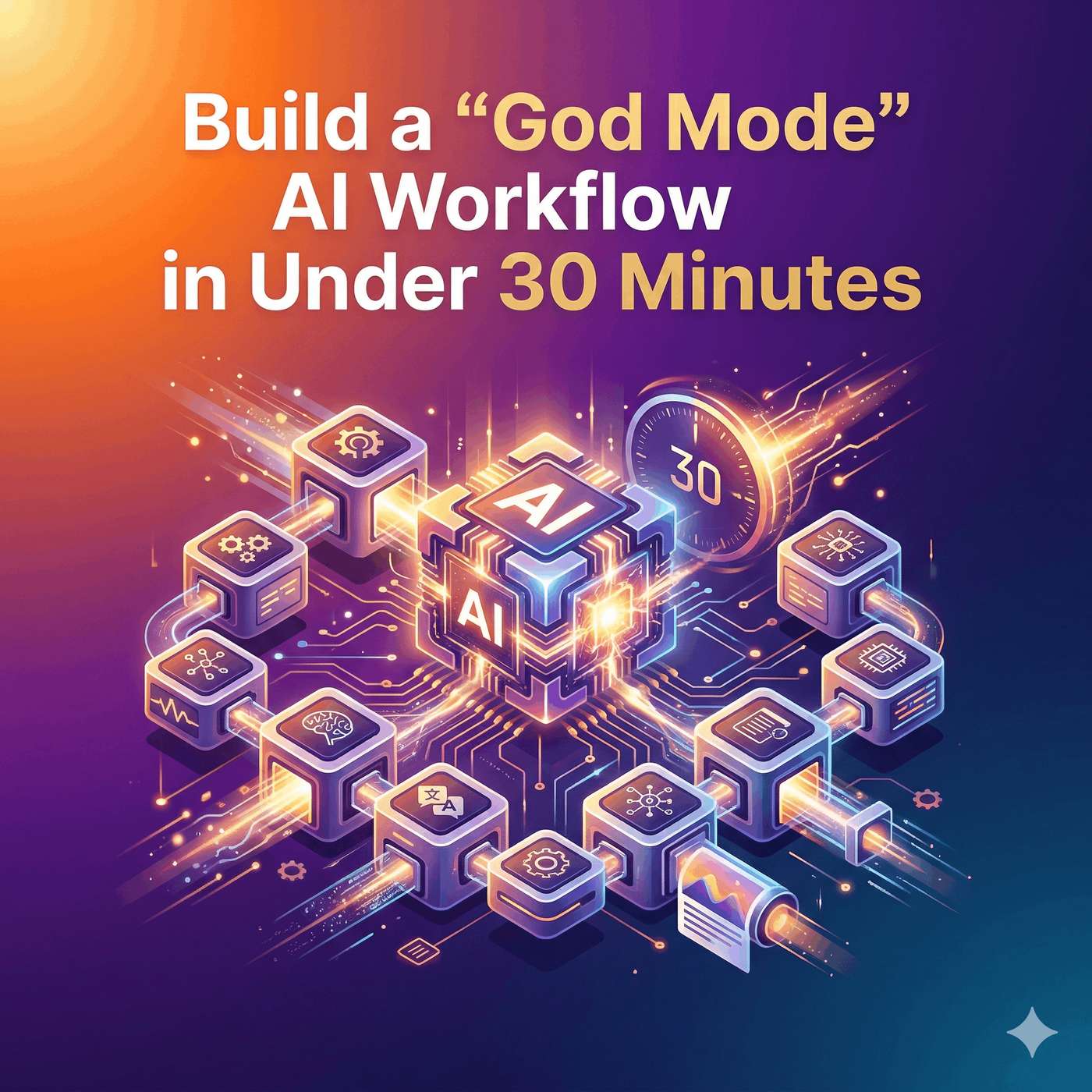
Unlock AI God-Mode Workflow: Automate Research & Boost Productivity
About this episode
Discover how to transform AI from a simple chatbot into a powerful, automated research assistant in this compelling episode of TechDaily.ai. Imagine typing a single command, stepping away, and returning to find a fully synthesized, detailed slide deck or infographic ready on your computer. We dive deep into setting up a revolutionary AI workflow that combines three essential tools — Cloud Code, Notebook LM, and Obsidian — to create a seamless digital research powerhouse tailored to any profession.
Learn how Cloud Code orchestrates the process like a head chef managing a kitchen, assigning tasks and streamlining workflows. Notebook LM functions as the intensive data analyzer, handling large volumes of transcripts, PDFs, or video content for deep insights. Obsidian serves as the secure, organized local vault where all knowledge is stored in user-friendly markdown format, ensuring your data remains accessible and safe.
Explore how this system breaks free from isolated AI interactions by connecting the tools with an open-source bridge, allowing the AI to autonomously gather, analyze, and store your research with minimal human input. We explain how to build custom skills using simple commands without any coding experience, enabling unique multi-step pipelines that optimize token usage and reduce costs.
This episode also addresses practical concerns including security, accessibility for non-technical users, and the remarkable adaptability of the workflow — whether you are a content creator analyzing YouTube trends or a legal professional synthesizing complex case law.
Finally, we unveil the game-changing Claude.md file within Obsidian, a continuously learning master guide that personalizes your AI assistant to your specific preferences, work style, and professional standards — effectively creating a digital clone of your own expertise over time.
Tune in to harness this cutting-edge AI architecture, enhance your productivity, and redefine how you work with artificial intelligence. Don’t forget to subscribe, share this episode with your network, and visit TechDaily.ai to start implementing these transformative strategies today.
Get every episode summarized
Each time TechDaily.ai publishes, we email you a written briefing from the transcript — the topics, who appeared, and any specific claims, with the ad reads skipped.
Email me new episodesFree for 3 shows. No card needed.
Hosts & guests
Transcript ready
558 searchable segments. Every word is indexed and playable.
Full transcript
TechDaily.ai — Unlock AI God-Mode Workflow: Automate Research & Boost Productivity. Machine-transcribed; use the interactive transcript above to jump the player to any line.
Welcome everyone to TechDaily.ai. I am your host David and I am joined by our guest Sophia. You can sponsor this podcast for just $25. Your message will be featured across major platforms like Apple Podcasts, Amazon Music, Spotify, and more. If you're interested, visit TechDaily.ai to get started today. Yeah, thanks for having me. I'm really excited to get into this one. So imagine typing just one single sentence, walking away to, I don't know, make a cup of coffee and coming back to find your computer, has spent the last 15 minutes independently watching YouTube tutorials. Right, we're reading PDFs and... Exactly, and building you a complete fully formatted slide deck, like out of thin air. Today, we are setting up what you might call a God mode digital workflow. It sounds like sci-fi, but it's totally real. And the best part is you can get this running in under 30 minutes. Which is wild. We are basically looking at a methodology that transforms your standard AI from a simple, you know, a chatbot into an automated, highly personalized
research monster. Yeah, a research monster is a great way to put it. And the beauty of this workflow is just its absolute flexibility. I mean, whether you are a content creator trying to analyze video trends, or maybe you're someone working a traditional corporate job who needs to synthesize complex financial reports. It just adapts to you. Exactly. This template can be customized for your exact needs. It's ultimately about building the self-improving loop of knowledge. So before we get into the complex automation stuff and how we actually get these different pieces of software talking to each other, we need to meet the toolkit. Yeah, we have to introduce the players. So we are combining three main pillars here. We've got cloud code, notebook, LM, and obsidian. Right. And it is so vital to understand the distinct role each one plays because, well, they are solving very different problems. Break that down for us. Sure. So cloud code is our orchestrator. It's the command center that directs the flow of information. Then notebook LM is the analyzer. So it's doing the heavy reading.
Exactly. It takes massive amounts of raw data and processes it into whatever format you need. And finally, obsidian is your local vault. The storage unit. Right. It's the place where all this knowledge is stored and organized in Markdown format. Let me stop you right there because we are already hitting a few technical terms. When you say Markdown format, what does it actually mean for the everyday user listening right now? Oh, that is a fair question. So Markdown is simply a way of formatting plain text using basic symbols. Like using asterisks? Yeah, exactly. Like putting asterisks around a word to make it bold. It is incredibly lightweight. The reason it is so important here is that plain text can be easily read by any software forever. So you aren't trapped in an ecosystem. Right. You aren't locking your notes into a proprietary database, like a word document or a specialized app that might just go out of business in five years. That makes total sense. I love a good analogy. So let me try to map this out for everyone.
Think of this entire setup like a high end restaurant kitchen. OK, I like where this is going. So quad code is your head chef. The head chef isn't necessarily chopping the onions, right? They are barking orders, managing the timeline, making sure the vision is executed. Spot on. Then notebook LM is your highly specialized sous chef. They are doing the heavy chopping, the intense flavor analysis, the actual cooking and obsidian. Obsidian is the perfectly organized pantry where every single ingredient and recipe is stored in clear glass jars, just waiting and remembered for the next service. That is a perfect way to visualize it. And if we connect this to the bigger picture, here is why this specific kitchen setup is so revolutionary. Why have that? Well, most people right now are using AI in a complete vacuum. You open a web browser, type a prompt into a chat window, get an answer, and then you just close the tab. Yeah, and the AI forgets you exist. Exactly. The context is entirely lost the moment you start a new conversation. By linking these three specific tools together,
we are breaking out of that vacuum. So the AI is actually doing the legwork? Yes, it can independently go out, find the data, process it into complex deliverables, and save it locally for you. And to get the head chef, quad code, to actually do this, we use a feature called the skill creator. Right, which is just amazing. It's a tool that literally lets the AI write its own sub-tools. You just type a simple plugin command in the prompt. I think it is a forward slash than the word plugin. And you search for skill creator. Yep, that's it. You install it, and suddenly your AI can build custom capabilities for itself. The metal level of capability here is just fascinating. I mean, you aren't coding these skills yourself. You don't need to know how to code. Which is a relief for most of us. Definitely. We're just describing what you want the tool to accomplish in plain English. Quad code understands its own underlying architecture well enough to generate the actual code for that new skill, test it, and save it. All right, so we have our head chef, and we have our sous chef. But how do we actually get them to talk to each other?
Without you having to play middleman. Exactly. Without the human user micromanaging every single step. Because as I understand it, no book LM doesn't actually have a public facing API. Exactly. And just to clarify, for those who might not know, think of an API or application programming interface as a universal translator between two pieces of software. The bridge. Right, it is the standard bridge that lets app A securely send data to app B. But because notebook LM is heavily guarded by Google, it doesn't offer that bridge to the public yet. So how do we get around that? Users have to utilize a specific open source workaround, which is a GitHub repository called notebook LMPI. OK, now I have to push back a little here. You just said GitHub repository. Oh, I know. And in the instructions for setting this bridge up, it requires using a CLI, which stands for command line interface, and typing in terminal commands. It sounds scary. If I am a project manager or a marketer, and I don't have a background in computer science,
my eyes are instantly glazing over. A black screen with green text sounds incredibly intimidating. Is this genuinely accessible for the average professional? I completely understand that reaction. The terminal definitely has a PR problem. It looks like something out of a 90s hacker movie. It really does. But I want to reassure you, navigating this is truly just copying and tasting text. You do not need to understand how to write the underlying code. So I don't need a computer science degree. Not at all. You open your terminal, you paste the installation commands exactly as they are provided by that GitHub page, and you hit enter. The computer does the rest. OK. And then what? After it installs, you type one specific command. Just notebook, LM log in. And what happens when you hit enter on that? Does it ask for more coding? Nope. A standard web browser window pops open. You log into your Google account exactly like you would if you were checking your Gmail. Oh, that takes you? Yeah. And the authentication is handled automatically in the background. That is it. You have successfully connected your local terminal to notebook LM.
Wow. OK. From there, you just asked the skill creator to mention earlier to build a skill that utilizes this new connection. You literally never have to look at the terminal screen again. OK. That sounds totally manageable. Copy, paste, log in, done. So now, clawed code can securely talk to notebook LM. Exactly. But the real goal of this God mode is creating what is called a super skill. We want to merge multiple individual skills into one single command. Yes, for instance, combining a YouTube search tool with the notebook LM analyzer. Right. Because you don't want to tell the AI, OK. First, run the YouTube search. Good. Now, take those results and send them over to notebook LM. Good. Now, analyze them. Because that is still micromanaging. That is not real automation. So how do we link them together? The method is surprisingly casual. You just give the skill creator a stream of consciousness prompt. You basically just ramble at it. Right. You say, hey, I want a comprehensive YouTube pipeline skill. I wanted to use the YouTube search tool to find videos, extract the data,
send those results to notebook LM for deep analysis, and bring back a specific physical deliverable to my computer. And the AI just figures out the logic and builds that pipeline. It connects the nodes for you, which feels like magic. It really does. But beyond the convenience of typing one sentence, there is a massive, hidden economic benefit to structuring your workflow this way. It is entirely about token offloading. Token offloading. Walk me through the mechanics of that. Sure. So every time you interact with an advanced AI model like Claude, you are consuming tokens. You can think of tokens as the computational currency of artificial intelligence. Like dropping quarters into an arcade machine. Exactly. Roughly speaking, a token is about three quarters of a word. When you ask an AI to process large amounts of data, like reading through the transcripts of 10 different hour long YouTube videos. That's a huge amount of text. It is. And that requires a massive amount of tokens. If you are paying for API usage or even just hitting the usage limits
on a monthly subscription, it gets incredibly expensive and restrictive really fast. Right, because you are essentially paying for every word the AI has to read and think about. Precisely. But with this pipeline, notebook LM is the one doing the heavy reading. Notebook LM handles all the intense high volume AI processing. And notebook LM is Google. Yes. And because it's a free Google product, it is utilizing Google's massive server farms to do that computational heavy lifting. Oh, what? Yeah, you are effectively offloading the most expensive token heavy part of your research onto Google. Cloud is just acting as the traffic director, spending very few tokens to pass the data along, while notebook LM carries the actual freight. That fundamentally shifts how I think about AI costs. It is like hiring a project manager who strategically outsources all the intensive manual labor to a free service, but still coordinates everything and brings the final polished product right to your desk. It is a highly efficient asymmetric use of resources.
All right, you have saved me money on tokens and you've connected the tools. But I'm still a bit skeptical of what the actual output looks like. Let's move from theory to a real world application. Let's do it. Let's say I asked the super skill to research something highly technical. The example we have is researching the top five MCP servers related to Cloud Code. And for some quick context, MCP stands for model context protocol. Think of it as giving the AI a set of standardized keys to safely unlock different file cabinets on your computer or the internet. It is a highly technical, rapidly evolving topic. If you're doing this research manually, you would be spending days watching tutorials and reading documentation. But with our new super skill, the prompt is literally just one sentence. You ask the pipeline to use a tool called YTDLP to search YouTube for videos about Cloud Code and MCP. And YTDLP, just to demystify that, is simply a command line program that can extract video data and transcripts directly from YouTube. It pulls the raw information so the AI can read it.
Exactly. So the prompt asks it to pull that transcript data, find the top five servers being discussed, analyze what is specifically driving the views for those videos, identify missing content gaps, and output and infographics summarizing the findings. Notice the specific phrasing of that prompt, too. How so? It is not asking for a basic summary. It is asking for an analysis of performance metrics, like what is driving views. And it is asking for strategic insights like finding content gaps. You take that prompt, you hit enter, and the pipeline fires up. It calls the YouTube search subskill, grabs the data via YTDLP, passes it over the bridge to the notebook LM subskill, and starts processing. And the results are incredibly detailed. Yeah, the AI successfully identified the top servers, super base, Figma, century, post hog, context seven, and playwright. But here is my question. Shoot. notebook LM doesn't natively generate visual infographics. It generates text and audio. So how does the workflow physically get from a text summary in Google
to a formatted infographic sitting on my local hard drive? That is the bridging step. And it is where Claude Codes role as the orchestrator really shines. notebook LM does the deep textual synthesis. It identifies the top servers and the trends. It then passes that raw structural insight back across the bridge to Claude. Claude then uses its own programming abilities to write a Python script or format a visual markdown diagram like a mermaid chart to render that narrative into a visual file. And it saves it locally. Yep, saves that file directly to your designated local folder. That makes perfect sense. So Claude is acting as the final designer. But let me ask you about a massive elephant in the room here. Privacy and security. Always a crucial topic. If I am offloading this synthesis to Google servers, what happens if I am not researching public YouTube videos? What if I am a corporate strategist feeding it proprietary financial data or internal company memos? Isn't that a massive security risk? It is a critical point.
And you're absolutely right to ask it. If you are using a standard free consumer Google account, you should operate under the assumption that your data is not entirely private. So no trade secrets. Definitely not. You should never feed highly classified company secrets, sensitive personal information, or proprietary code into a consumer grade AI model. How do big companies do it then? For enterprise applications, companies usually secure paid private instances of these models where data isn't used for training. This workflow is incredibly powerful, but you must apply standard data security commonsense. OK, assuming we are working with safe or public data, the deliverables are still remarkable. The timeframes are important to note to, right? Yes, because notebook LM is doing intense synthesis, it isn't instantaneous. A text analysis might take a few seconds, but that infographic might take a handful of minutes to generate. And if you ask for something massive, like a full multi-slide presentation deck, it might take up to 15 minutes. Right. Because the pipeline is iterating.
It is generating multiple layouts, structuring the narrative arc of the presentation, and rendering the visual. Consider the trade-off. Exactly. Waiting 15 minutes while you go answer emails or grab lunch versus spending four solid hours manually formatting a slide deck yourself. And it is not just text and slides. notebook LM can generate interactive podcasts, complex mind maps, audio reviews, and study flashcards. This highlights the critical difference between summarization and synthesis. The AI in this workflow isn't just regurgitating a list of MCP servers, it found. It's thinking about it. Right. It is looking at statistical outliers. It is analyzing how the content is performing relative to its audience. It acts as a strategic analytical partner, rather than just a glorified search engine. Let's actually look at a totally different use case, just to prove how adaptable this is. Say I am not a YouTube creator. Say I am a lawyer preparing for a complex trial. The logic of the pipeline remains exactly the same. You just swap out the inputs.
So instead of YouTube. Instead of asking the skill creator to build a YouTube search tool, you ask it to build a tool that scans public legal databases or reads local PDF files. So I could point this pipeline at a folder containing 200 pages of dense case law PDFs. I tell Claude to feed them into notebook LM, analyze the opposing counsel's past arguments, find the contradictions, and output a structured timeline of events. Exactly. The AI reads the PDFs. Notebook LM synthesizes the legal contradictions, passes the structure back to Claude, and Claude formats a chronological timeline document, saving it directly to your computer. The underlying mechanism is identical. Completely identical. Which brings us to the final and perhaps most important piece of the puzzle. Obsidian, getting that timeline or that infographic is great. But what happens to that research afterward is what makes this system entirely unique. We have discussed the orchestrator and we have discussed the analyzer. Now we must discuss the memory. In a normal workflow, you download your file,
maybe save it to your crowded desktop and move on. The AI completely forgets the interaction. It's gone. But in this setup, all the generated research, the transcripts, the insights, everything is automatically saved as plain text files inside a local obsidian vault on your computer. And obsidian creates these neat visual graphs showing exactly how all your various research notes link together over time. Because it relies on plain text, Claude can instantly read, search, and understand your entire historical database of knowledge in seconds. And sitting inside that vault is the most vital component of this entire system, a single file called Claude.md. Oh, this is my favorite part. The Claude.md file is the master rulebook. It contains a growing set of conventions, formatting preferences, and operational guidelines for the AI. Wait, so by updating the Claude.md file, we are essentially solving the context window amnesia problem that plagues almost every other AI tool on the market. Yes. Using a standard AI chatbot is like hiring an assistant
who suffers from severe amnesia every single morning. Every day they walk into the office, you have to re-explain your brand voice, how you like your spreadsheets formatted and what industry you actually work in. It is exhausting. It creates immense friction. You spend more time prompting than you do actually working. But this system using the Claude.md file is like having an assistant who keeps a meticulous detailed diary of your preferences. And the mechanism for building that diary is incredibly elegant. It is a continuous feedback loop. How does that work in practice? As you run these workflows, let's say you generate that legal timeline, but you prefer the dates formatted in a very specific non-standard way. You simply make the correction, go back to Claude code, and say, update Claude.md based on our latest conversations. Yes, that's single phrase. Update Claude.md based on our latest conversations. Yes, you are instructing the AI to reflect on the work it just completed, identify the specific format and corrections you made, and permanently write those new rules into its own master file.
That is brilliant. Over weeks, months, and hundreds of interactions, this file learns exactly how you like your analysis structured. It learns your preferred tone. It literally maps out how you think. So the Obsidian Vault itself acts as your second brain, storing all the raw facts, the YouTube transcripts, the legal PDFs, but that Claude.md file, that is something else entirely. It is the brain within the brain. The Vault stores the what, but the Claude.md file stores the how. Every single time you use the system, the system gets better at being uniquely your system. It turns a generic off-the-shelf algorithm into an impeccably trained personal partner. This means that the blank screen shouldn't be terrifying to anyone listening anymore. You are never starting from zero when you sit down to work. Never. You have built a localized machine that handles the manual labor of gathering data, the heavy computational labor of analyzing it, and the organizational labor of remembering it. It completely removes the friction between your initial intent and the final product.
You essentially get to act solely as the visionary directing the flow while the pipeline handles the execution. But there's a deeper implication here, something that goes far beyond just saving time on reading PDFs or watching videos. Think about the long-term trajectory of that Claude.md file. We established that it is continuously recording and refining your specific work style, your output preferences, your tone, and your unique analytical frameworks. It is actively learning what you consider to be a good insight versus a bad one. It is constantly adapting to my specific idiosyncratic professional standards. So here's the question you have to ask yourself. If this local text file continues to observe you, adapt to you, and refine its understanding of your cognitive process over the course of several years, at what point does it stop being just an assistant, and start becoming a completely automated digital clone of your own professional mind? That fundamentally shifts the perspective on what we are building here. A digital clone of your professional mind sitting right there on your hard drive, ready to work.
We will leave you to ponder that one. Thank you for joining us on this exploration.
More episodes
More from TechDaily.ai

How Windows Is Revolutionizing Updates with User-Controlled Calm Computing
TechDaily.ai

Inside Apple’s Game-Changing Acquisition That Disrupts the Creator Economy
TechDaily.ai

Rec Room Collapse: $3.5B Unicorn Crushed by Its Own Math
TechDaily.ai

Apple’s AI Revolution: The Death of Siri and Rise of Agentic Intelligence in iOS...
TechDaily.ai