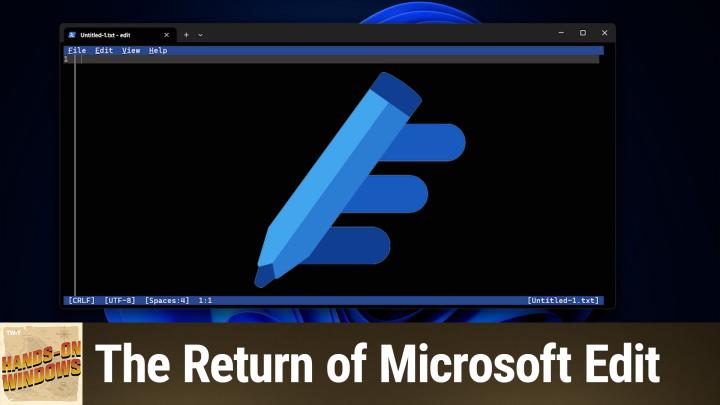
About this episode
Microsoft Edit is stepping into the spotlight as Notepad faces backlash for its new AI-heavy features. Find out why this lightweight, command-line text editor might just be your next favorite productivity tool.
Host: Paul Thurrott
Download or subscribe to Hands-On Windows at https://twit.tv/shows/hands-on-windows
Join Club TWiT for Ad-Free Podcasts!
Support what you love and get ad-free audio and video feeds, a members-only Discord, and exclusive content. Join today: https://twit.tv/clubtwit
Club TWiT members can discuss this episode and leave feedback in the Club TWiT Discord.
Sponsor:
Get every episode summarized
Each time All TWiT.tv Shows (Audio) publishes, we email you a written briefing from the transcript — the topics, who appeared, and any specific claims, with the ad reads skipped.
Email me new episodesFree for 3 shows. No card needed.
Hosts & guests

Transcript ready
53 searchable segments. Every word is indexed and playable.
Full transcript
All TWiT.tv Shows (Audio) — Hands-On Windows 180: The Return of Microsoft Edit. Machine-transcribed; use the interactive transcript above to jump the player to any line.
I'm going to go up next on hands-on windows. We're going to look at a text editor. No, not no pad. A different text editor. Podcasts you love. From people you trust. This is Twig. Everybody, I'm Paul Throat. Welcome back to hands-on windows. This week we're going to take a look at a new text editor, a new ish text editor called Microsoft Edit. If you are following windows 11, which I assume you are watching a show, but you may have heard there's a bunch of controversy around no pad. The text editor that's been built into windows for 40 years. Microsoft added tabs to it, which I don't think bothered too many people. But then they added the markdown stuff. They added all this co-pilot stuff. It's superfluous UI about what's happening. Microsoft account sign-ins, you can get to your AI credit balance. I'm actually okay with basically all of the additions to know it personally, but I've seen the complaints.
We did an episode some months ago where I showed you how you can use that app, alias capability to get back to the older version that kind of win 32 desktop version of no pad. But since I want to say probably last May or May 2025, Microsoft has released another text editor for windows. They're going to build it into windows 11. I've been checking. I just installed one of the latest dev builds. That's why you see that text down there in the corner, but it's not in this build. So it's coming some day. They say this isn't this is free. It is made by Microsoft. Of course, it's a CLI app, meaning a command line interface. So it's a text based app. It works in windows. Of course, it also works in Linux. Interestingly, so if you want to download it from the web, you can do that and run it in Linux. If you're, you know, somehow you're a Linux guy and you love Microsoft software. But like I said, it's coming to windows 11. I think it's honestly pretty glorious. So we'll see. But you can download at it today from the get head website.
Hey, Paul. Hey, everybody. This episode of hands on windows is brought to you by my new close personal friends threat locker threat lockers zero trust platform takes a proactive. And these are the three words you care about deny by default approach. That means it's blocking every unauthorized action. Unless you explicitly say, yeah, you could do that. You can't, which protects you from both known and unknown threats. Modern attacks hide these days inside endpoints attacker controlled virtual machines. These guys are sneaky sandboxed environments VM based malware. They're invisible to traditional antivirus software. But guess what threat lockers zero trust prevents those VM based attacks before they can launch threat lockers innovative ring fencing constraints tools and remote management utility. So attackers cannot weaponize them for lateral movement or mass encryption threat locker works in every industry. Provides 24 seven US based support. It's just the best. They support windows and Mac environments and they enable comprehensive visibility and control just ask Emirates flight catering global leader in the food industry over 13,000 employees.
They use threat locker threat locker gave Emirates full control of apps and endpoints improved compliance and delivered seamless security with strong IT support. The see so of Emirates flight catering said this quote the capabilities the support and the best part of threat lockers how easily it integrates with almost any solution. Other tools take time to integrate but with threat locker it's seamless. That's one of the key reasons we use it. It's incredibly helpful to me as a see so. And I talked to so many people at the zero trust world last week that said the same thing threat locker is a miracle trusted like global enterprises that just can't afford to be down for one minute like jet blue. He throw airport the Indianapolis Colts the port of Vancouver they all use threat locker threat locker consistently receives high honors and industry recognition a G2 high performer and best support for enterprise summer 2025. Here's spot ranked threat locker number one in application control and get apps best functionality and features award in 2025 and that's just scratch on the surface.
Get unprecedented protection quickly easily cost effectively with threat locker visit thread locker dot com slash twit you'll get a free 30 day trial and you can learn more about how threat locker can help mitigate unknown threats and ensure compliance that's threat locker dot com slash twit thank you threat locker for supporting hands on windows now back to poll works and so this is the website for it so it's just get up dot com slash Microsoft slash edit little tricky to find the download but it's here download the zip and you can install it and run this thing and so the way that you do this normally is you run a terminal window. You type at it right and what's cool about this well there's many things that are cool about this honestly but there's nothing here yet so but if you are an old school windows user like I am and you go back far enough and you remember I messed us you may have used Microsoft editor like this in the past you might have used one as a programmer you know for something like quick see or more than turbo C++ or whatever.
Of course those things were basically I mean eventually they evolved but they were primarily and originally solely text base and keyboard based this one actually works with the mouse right and so you can kind of click around and there's menus and things like that and that's pretty cool. But the thing I like about it the most is it adapts to this window so if I resize this thing it resizes with it if I maximize it it resizes with it obviously. If I bump up the text so I'm hitting control plus B sorry control plus plus the plus signary and then you can actually see it a little bit better so to give you an idea of some of the capabilities because it's a fairly basic keyboard it works with keyboard shortcuts right so I could go to file and then open file but you can see here it says control plus zero so I'll type sorry control plus oh I can type that and it. It dumps me in my user folder right so right now on this computer what I have is things in one drive so unfortunately I have to.
Click in here a little bit but that will take a second it's okay we get there and I'll just go to my two so these are markdown files but markdown is text rights plain text so I can open that with this no problem and you can see all the text is just running off the side which is not exactly what I want but this thing has word wrap right and so. This is an unfinished I'm this is a review in progress that I'm writing for an iPhone but you can kind of see where it's at and you can get an idea of what this thing looks like right and you can see also that it handles the word wrap with these dots here so this is all this is all one line to this text file to us visually it's forming like a paragraph with word wrap but it's the ninth line this is a space of the tent line space for. The next line you can do things like control and started a new file so this is a text document all this type something here. This is some more text etc if I do control s it's going to try to save this thing I actually don't want to save it there but I will anyway just to make the point but it's a text file and I can just enter and say.
And so you can see it has that name up here in the tab and it also does find and replace let me go back well actually I should say there's a kind of a power use a future in here. Where even though I had a document open but then I started a new document the other document still in the editor and so instead it's not control plus T or it's not control tab for some reason but if I type control P I get this kind of alt tab. Like interface for the various documents that are open right now in the editor so I can select that thing that was previously loaded and go right back to where we were and then I can go control P again and go back you know to the other one obviously right. Roll F find and then you can use the mouse the mouse here to do some of the options control no sorry. Control R is replace right they don't really control H is the more typical one for that but it gives you a way to enter a word.
And then I don't want to screw up my document but you get the idea we can only do a whole word and several partial word and we can do a replace all if we want so works for the most pretty nice. So I really like this thing and as I've been using it I don't know maybe I don't maybe it's just because I'm getting older or something but I I want to use this the trouble is by default there's no way to launch this from explorer right so I'm going to close this window and I'm going to go to that same folder right so that's the folder we just send you can see the iPhone review file. What I'd like to do is right click and say open with and then choose that app now you can't do that by default but actually I added it and the trick is you have to know where the app is and so in this case I happen to know because I looked it up it's in the system 32 folder inside of the windows folder right so let me get past the ease there and then you can see.
Do you do right here there it is so that's the app so once you know what that thing is you could right click on a file like this and say open with and choose another app more apps and choose an app and like I said it's in the folder and then we go to system 32 go down while you get to go past there to hit go yeah go past the ease and then there's at it now I don't want to do this all the time necessarily but you might for now I'll just say just once and then it actually opens in the it opens like you would expect right now it's gone back to the original settings and all that stuff but pretty cool and I believe now that I've done that I should be able to see at it in that list yeah there you go so that's pretty cool there are other things it doesn't quite do if you were if you are old enough or were have been around long enough to remember any of the text based formatting stuff we might have done in a program like word word perfect for example I think I'm sure Microsoft word did this as well they would
actually show you formatting in the document this supports literally just basic text so there's no way to do bolder italics or anything like that it'd be kind of fun if they could figure that out I don't see why they couldn't but you know between the open with and just the basic functionality of it it's super lightweight this is kilobytes and size not megabytes it's tiny it's going to be included in windows like I said it's just there or we'll soon just be there and it's cool app I really like it so I'd be like it too I did something very calming and focused about it especially when you bring it up like in a full screen interface like this you know of course now I'm stuck in a folder again so I'm not going to find anything to open here but probably not going to find anything it's it will not behave nicely if I try to open a ping file I can tell you that but a cool app nonetheless so hopefully you found this interesting and informative maybe we'll get a couple converts to Microsoft at it either way thank you so much for watching we'll have a new episode of hands-on windows every Thursday you can find out more about the show at twit.tv slash h o w and again thank you for watching thank you especially to our club twit members we love you you can learn more about that program if you're not a member at twit.tv slash club twit thanks see you next week
hey everybody Leo the port here and I'm going to bug you one more time to join club twit if you're not already a member I want to encourage you to support what we do here at twit you know 25% of our operating cost comes from membership in the club that's a huge portion and it's growing all the time that means we can do more we can have more fun you get a lot of benefits add free versions of all the shows you get access to the club to a discord and special programming like the keynotes from Apple and Google and Microsoft and others that we don't stream otherwise in public please join the club if you haven't done it yet we'd love to have you find out more twit.tv slash club twit thank you so much we'll see you next week.
More episodes
More from All TWiT.tv Shows (Audio)

Security Now 1095: AI-Driven Expertise Loss
All TWiT.tv Shows (Audio)

MacBreak Weekly 1041: SHAME
All TWiT.tv Shows (Audio)

This Week in Tech 1100: Yoloville
All TWiT.tv Shows (Audio)

Untitled Linux Show 269: Kerfluffel
All TWiT.tv Shows (Audio)