Loading...
educationAug 14, 202619:51pending
Course 40 - Web Scraping with Python | Episode 34: Architecture, Setup, and Basic Web Automation
About this episode
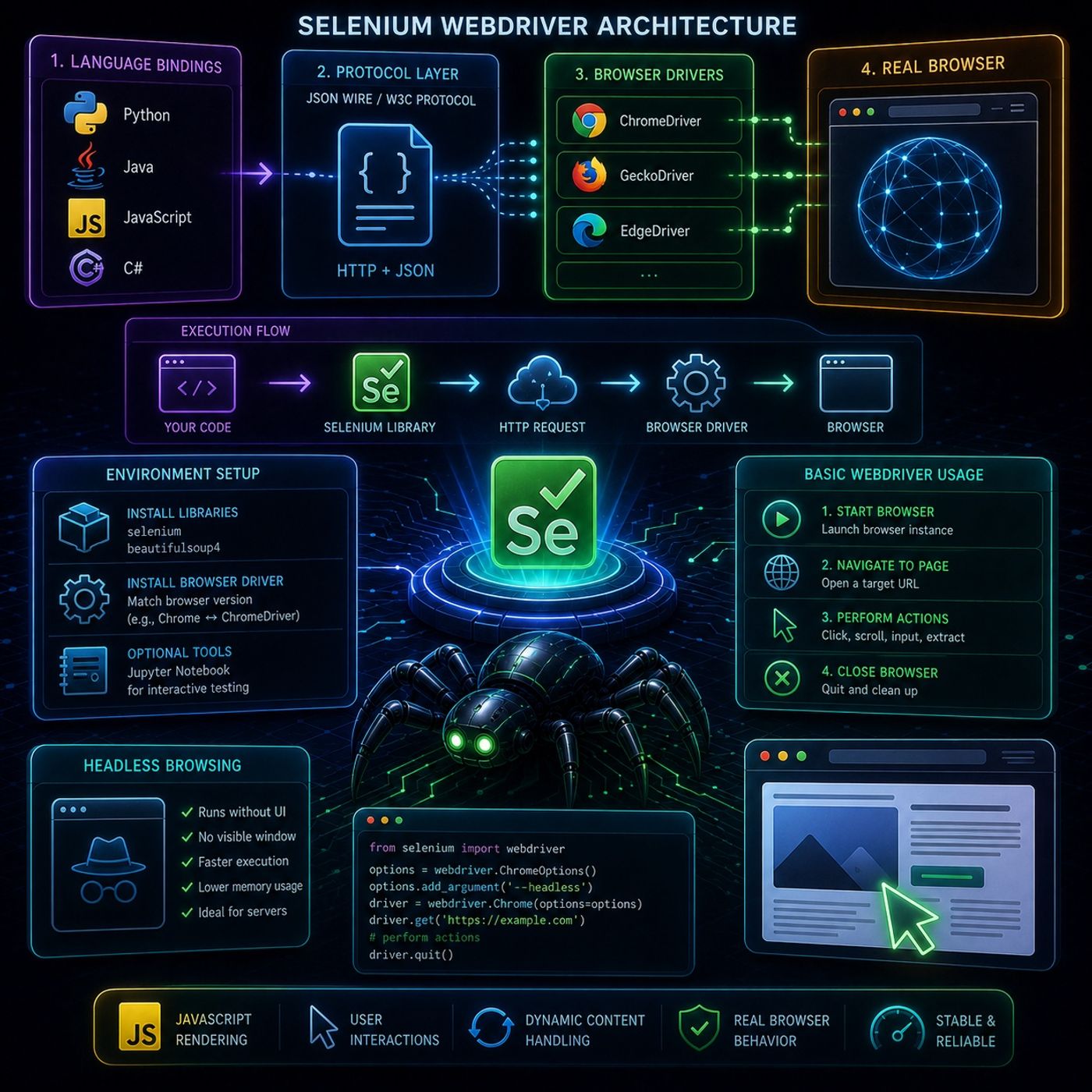
This episode focuses on how Selenium WebDriver actually works under the hood, and then walks into the practical setup and first automation steps.🧠 Selenium WebDriver ArchitectureSelenium WebDriver is designed to control browsers as realistically as possible, which is why it uses a multi-layer architecture instead of direct code-to-browser control.🧩 1. Language BindingsThese are client libraries that let you write automation scripts in different languages:
You can listen and download our episodes for free on more than 10 different platforms:
https://linktr.ee/cybercode_academy
- Python
- Java
- JavaScript
- C#
- Your script sends HTTP requests
- Commands are encoded as JSON payloads
- These requests are sent to the browser driver
- Chrome → ChromeDriver
- Firefox → GeckoDriver
- receive commands
- translate them into browser-native actions
- opens pages
- clicks elements
- executes JavaScript
- renders content
- Selenium (automation engine)
- BeautifulSoup (optional parsing tool)
- Must match your browser version exactly
- Example: Chrome version ↔ ChromeDriver version
- Jupyter Notebook for interactive testing
- Useful for debugging selectors step-by-step
- Launch Chrome/Firefox via WebDriver
- Open a URL like a normal user
- click
- scroll
- input text
- extract elements
- clean shutdown of session
- Browser runs without UI
- No visible window opens
- faster execution
- lower memory usage
- ideal for servers and automation pipelines
- JavaScript-rendered content
- user interactions
- dynamic page updates
You can listen and download our episodes for free on more than 10 different platforms:
https://linktr.ee/cybercode_academy
Hosts & guests
No transcript yet
This episode has not been transcribed. Request it and it moves to the front of the queue.
More episodes


