Loading...
educationAug 13, 202620:06pending
Course 40 - Web Scraping with Python | Episode 33: Foundations of Scraping Dynamic Webpages with Python and Selenium
About this episode
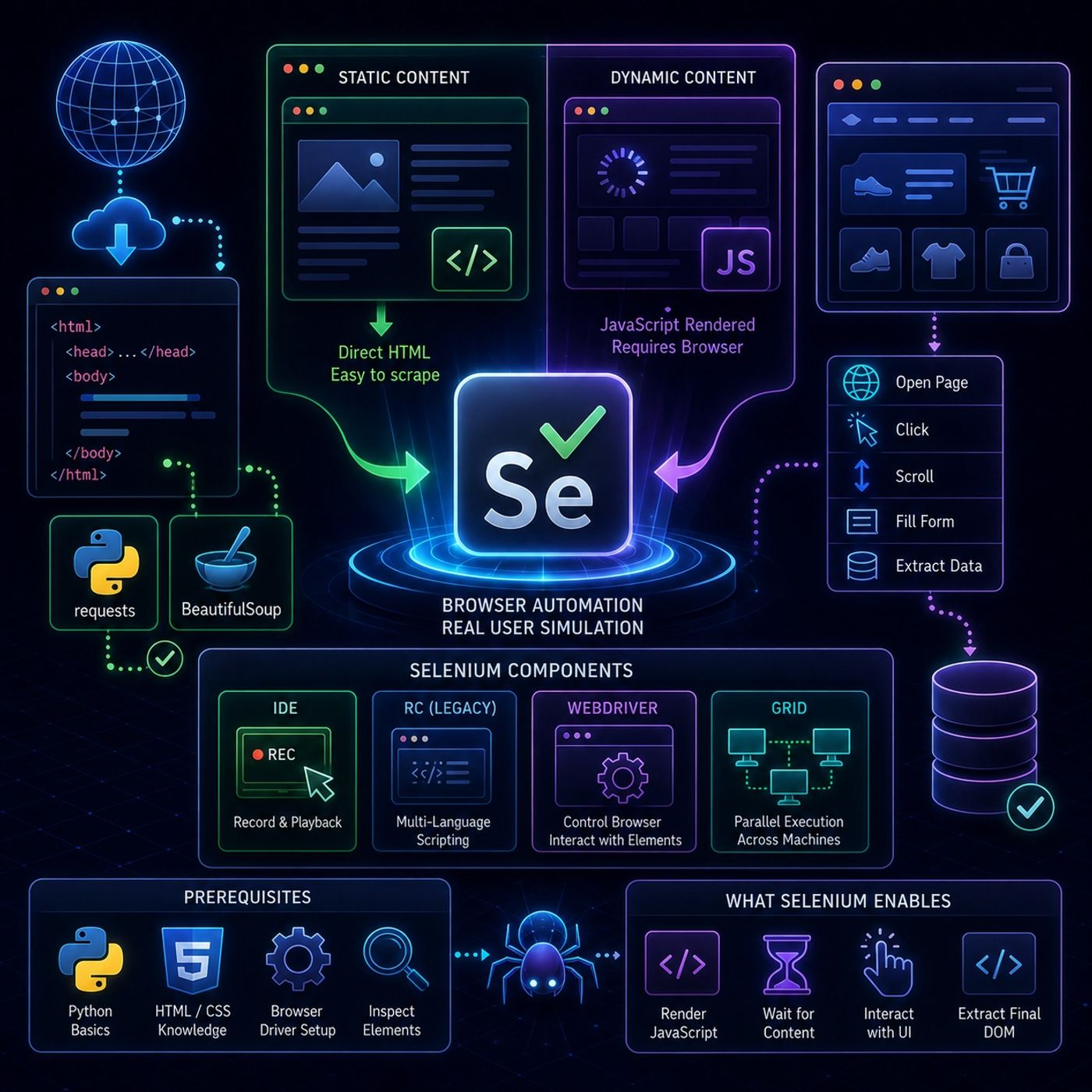
This episode is essentially a setup guide for moving from simple HTTP-based scraping to full browser automation using Selenium, especially for websites where content is rendered or modified by JavaScript.🌐 Web Scraping vs Dynamic Web Pages🧾 What “web scraping” means hereWeb scraping is framed as:Converting web page content into structured data for analysisBut the key challenge is that not all content is immediately visible in HTML.🧱 Static vs Dynamic Content📄 Static content
You can listen and download our episodes for free on more than 10 different platforms:
https://linktr.ee/cybercode_academy
- Same HTML for every user
- Can be scraped with tools like Requests or BeautifulSoup
- No JavaScript dependency
- Changes based on:
- user interaction
- time
- location
- JavaScript execution
- Often not present in raw HTML
- Requires browser simulation to access
- render content with JavaScript
- load data after page load
- require clicks/scrolling to reveal content
- open web pages
- click buttons
- scroll pages
- fill forms
- simulate real users
- Record & playback tool
- Used for quick prototyping
- No coding required
- First generation framework
- Allowed multi-language test scripts
- Now largely obsolete
- directly controls the browser
- executes user-like actions
- interacts with page elements
- Enables parallel execution
- Runs tests across multiple machines/browsers
- Used for scaling automation
- Python basics
- HTML/CSS understanding
- Browser driver setup (ChromeDriver / GeckoDriver conceptually)
- Ability to inspect web elements
- load JavaScript-heavy pages
- wait for content to appear
- interact with UI elements
- extract final rendered DOM
- dashboards
- social media pages
- e-commerce filters
- infinite scroll pages
You can listen and download our episodes for free on more than 10 different platforms:
https://linktr.ee/cybercode_academy
Hosts & guests
No transcript yet
This episode has not been transcribed. Request it and it moves to the front of the queue.
More episodes


